Set up the Cloudflare MCP server
The Cloudflare MCP server exposes the entire Cloudflare API — over 2,500 endpoints across DNS, Workers, R2, Zero Trust, and more — through two tools, search() and execute(), using Cloudflare's Code Mode pattern. This guide covers connecting Cloudflare's hosted server to MintMCP using per-user OAuth.
Prerequisites
- A MintMCP admin account
- A Cloudflare account (sign up at cloudflare.com)
Add Cloudflare to MintMCP
Cloudflare is pre-listed as a recommended server in the MintMCP MCP store. Each team member authorizes with their own Cloudflare account through per-user OAuth. Cloudflare's MCP server supports dynamic client registration, so MintMCP registers automatically — no app creation or credentials to configure.
- In MintMCP, go to MCP store > Manage store.
- Find Cloudflare in the recommended servers list.
- Click Install.
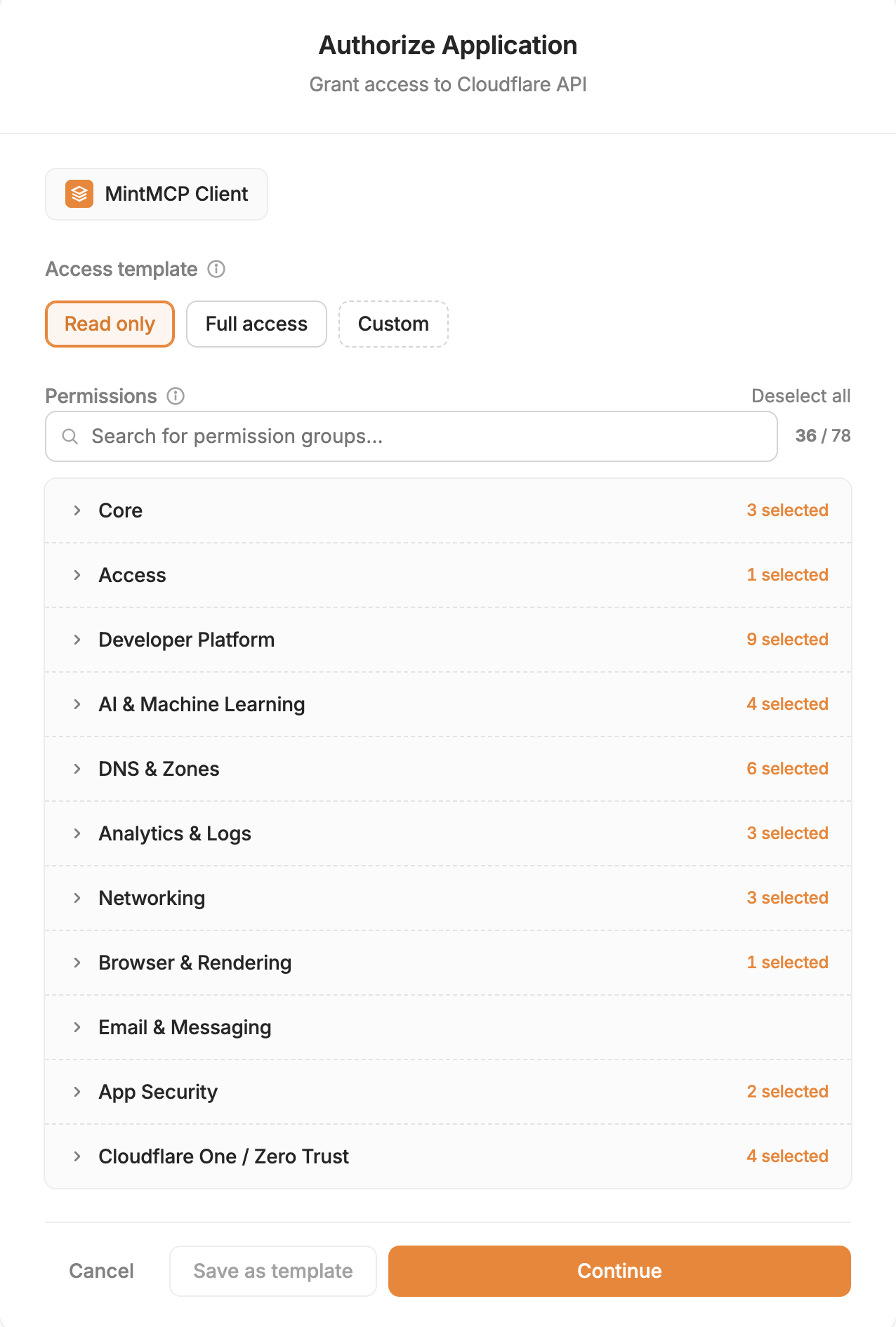
When users first connect, they are redirected to Cloudflare to authorize and select which account and permissions to grant. All subsequent calls use their individual Cloudflare identity.
Tool capabilities
Exposing one MCP tool per endpoint would flood an agent's context with thousands of definitions, so the Cloudflare server uses Code Mode instead: a small, fixed set of tools that let the agent write JavaScript to discover and call any endpoint. The full API specification stays on the server, which means the tool footprint stays the same size no matter how many endpoints Cloudflare adds.
| Tool | What it does |
|---|---|
search | Writes JavaScript to query the API spec and find the endpoints for a task. |
execute | Writes JavaScript to call the discovered endpoints through Cloudflare's API client. |
docs | Searches Cloudflare's developer documentation. |
search and execute are the core pair — the agent searches the spec for the endpoints it needs, then runs code to call them — and docs is a documentation helper. Both read and write operations are supported, so the same connection can list DNS records or create them depending on what you allow.
Because the server fronts the whole Cloudflare API, those tools reach across products:
| Area | What you can do through it |
|---|---|
| DNS | Read and manage zones and DNS records |
| Workers and storage | Deploy Workers and Pages; manage KV, D1, and R2 |
| Zero Trust | Configure Access, Gateway, and other Cloudflare One settings |
| Media and AI | Work with Stream, Images, and AI Gateway |
| Analytics and logs | Query zone and account analytics and audit logs |
What any individual user or agent can actually do is bounded by their OAuth grant — the server never grants more access than the underlying Cloudflare credential allows.
Security considerations
- OAuth attributes each tool call to the individual user's Cloudflare identity, giving you a clear audit trail.
- Grant the minimum permissions each user needs when authorizing. Broad Edit access can modify production DNS records, Workers, and other live resources.
- Revoke OAuth access at dash.cloudflare.com/profile/authorized-applications when no longer needed.
Troubleshooting
- OAuth authorization fails — Confirm the user has an active Cloudflare account and that no browser extensions are blocking the redirect to the Cloudflare consent screen.
- Tool calls fail with permission denied — The OAuth grant lacks access to the Cloudflare product the agent is trying to use. Re-authorize and grant the corresponding permission.
Next steps
- Tool customization — Control which Cloudflare tools are exposed to users
- MCP gateway administration — Manage access and permissions