Pass-through headers
A remote MCP server often needs a value the caller sends in an HTTP header — a tenant ID, a region, or a routing hint. MintMCP can forward chosen headers from the client through to your upstream server, so the server can act on them.
This is a remote connector feature. Hosted connectors work differently — see Hosted connectors below.
Setup
Remote MCP servers
Each remote connector has a Pass-through headers list in its connection settings. You add the header names you want forwarded; MintMCP forwards only those and drops the rest, since inbound headers can carry values you don't want leaving your boundary by accident. With nothing in the list, no headers are forwarded.
To add one:
- Open the connector's Connection settings
- Expand Pass-through headers
- Click Add Header, enter the header name (for example,
X-Tenant-Id), and Save
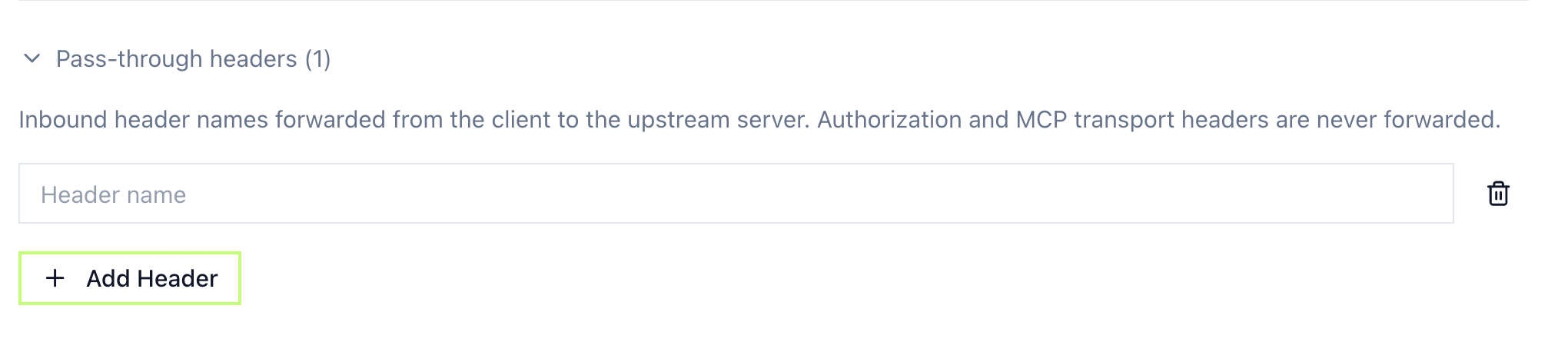
You enter header names only — the value comes from each request at call time, and names are matched case-insensitively.
Some headers are never forwarded, even if you add them:
Authorizationand credential token headers — MintMCP brokers upstream auth itself- MCP transport headers (
Mcp-Session-Id,Mcp-Protocol-Version,Last-Event-Id) X-MintMCP-*— a reserved namespace, so a caller can't spoof internal values
If the connector also sets a header of its own with the same name, the connector's value wins — a client can't override it.
Hosted connectors
Hosted connectors do not forward the client's headers. Instead, you set environment variables on the connector (global, or per-user values each member supplies). MintMCP delivers them to your server based on the transport:
- stdio — as process environment variables
- HTTP — as
X-MintMCP-Env-{NAME}request headers (a stdio server reads them as plain env vars)
So if you need caller-specific input on a hosted connector, configure it as a per-user environment variable rather than a pass-through header. The authenticated user's email is provided automatically — see Pass user identity to MCP servers.
Using headers in middleware
Gateway middleware receives the pass-through headers as ctx.headers, so you can allow, block, or mask a tool call based on what the caller sent — for example, restricting a tool to known tenants:
const ALLOWED_TENANTS = ["acme", "globex"];

if (ctx.phase === "pre") {
  const tenant = ctx.headers["X-Tenant-Id"];
  if (!ALLOWED_TENANTS.includes(tenant)) {
    return { action: "block", reason: "Unknown tenant: " + tenant };
  }
}

return { action: "allow" };
A header only shows up in ctx.headers if it's in the connector's pass-through list (and isn't one of the reserved headers above). If it's missing, check the list first.
Receiving headers in your MCP server
Read the forwarded header from the incoming request like any other:
# Python (Flask / FastAPI)
tenant_id = request.headers.get("X-Tenant-Id")
// Node.js (Express)
const tenantId = req.headers["x-tenant-id"];
On a hosted connector, read the value as an environment variable (stdio) or from the X-MintMCP-Env-{NAME} header (HTTP):
# stdio transport
import os
api_key = os.environ.get("API_KEY")

# HTTP transport
api_key = request.headers.get("X-MintMCP-Env-API_KEY")
Related
- Pass user identity to MCP servers: Forward the caller's email
- Add a remote MCP: Set up a remote connector
- Add a hosted connector: Run an MCP server in MintMCP's infrastructure
- Tool governance: Control tool calls with rules and middleware