Set up the TikTok Ads MCP server
The TikTok Ads MCP server gives AI agents read-only access to TikTok ad campaigns, ad groups, ads, and performance reports through the TikTok Marketing API. This guide covers creating a TikTok Marketing API app, configuring OAuth, and connecting it to MintMCP.
Prerequisites
- A MintMCP admin account
- A TikTok for Business account with a Business Center that owns the ad account(s) you want to query — see TikTok's guide to creating a TikTok for Business account
- Access to the TikTok for Business Developers portal
Create a TikTok Marketing API app
- Go to business-api.tiktok.com/portal and sign in with your TikTok for Business account.
- Click Become a Developer and complete the registration form with your contact and company details (first time only) — TikTok's developer registration guide covers each field.
- Go to My Apps and click Create an App.
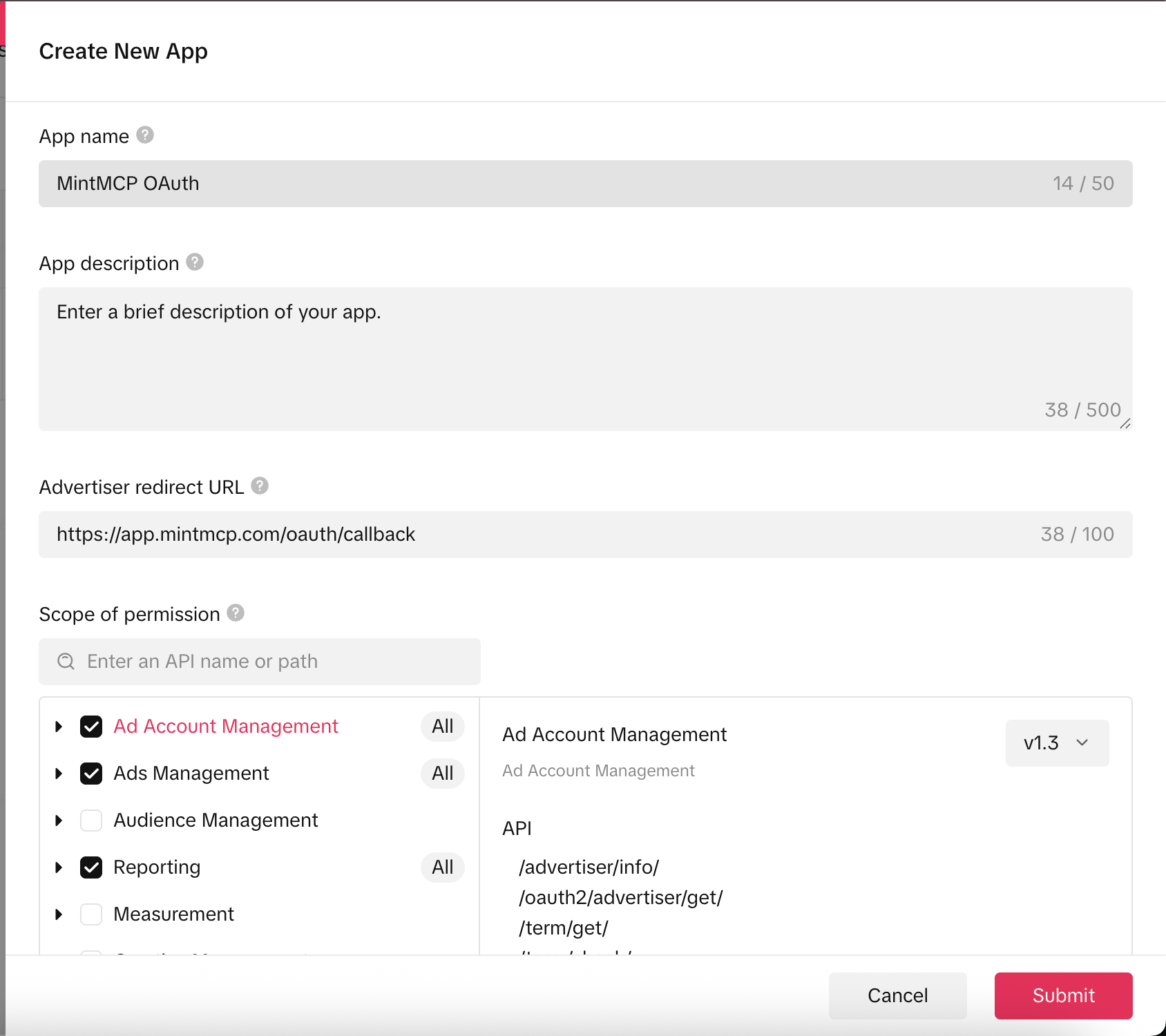
- In the Create New App form, enter an app name and description.
-
Set Advertiser redirect URL to:
https://app.mintmcp.com/oauth/callback -
Under Scope of permission, select these grant categories:
Grant category What it enables Ad Account Management Read advertiser account and Business Center data Ads Management Read campaigns, ad groups, and ads Reporting Read performance metrics and reports -
Click Submit. The app enters TikTok's review queue with Pending status — approval typically takes 2–3 business days, and production ad accounts can't authorize your app until it's approved.

Copy the App ID and Secret
- In My Apps, click View on your app to open its Basic Information page.
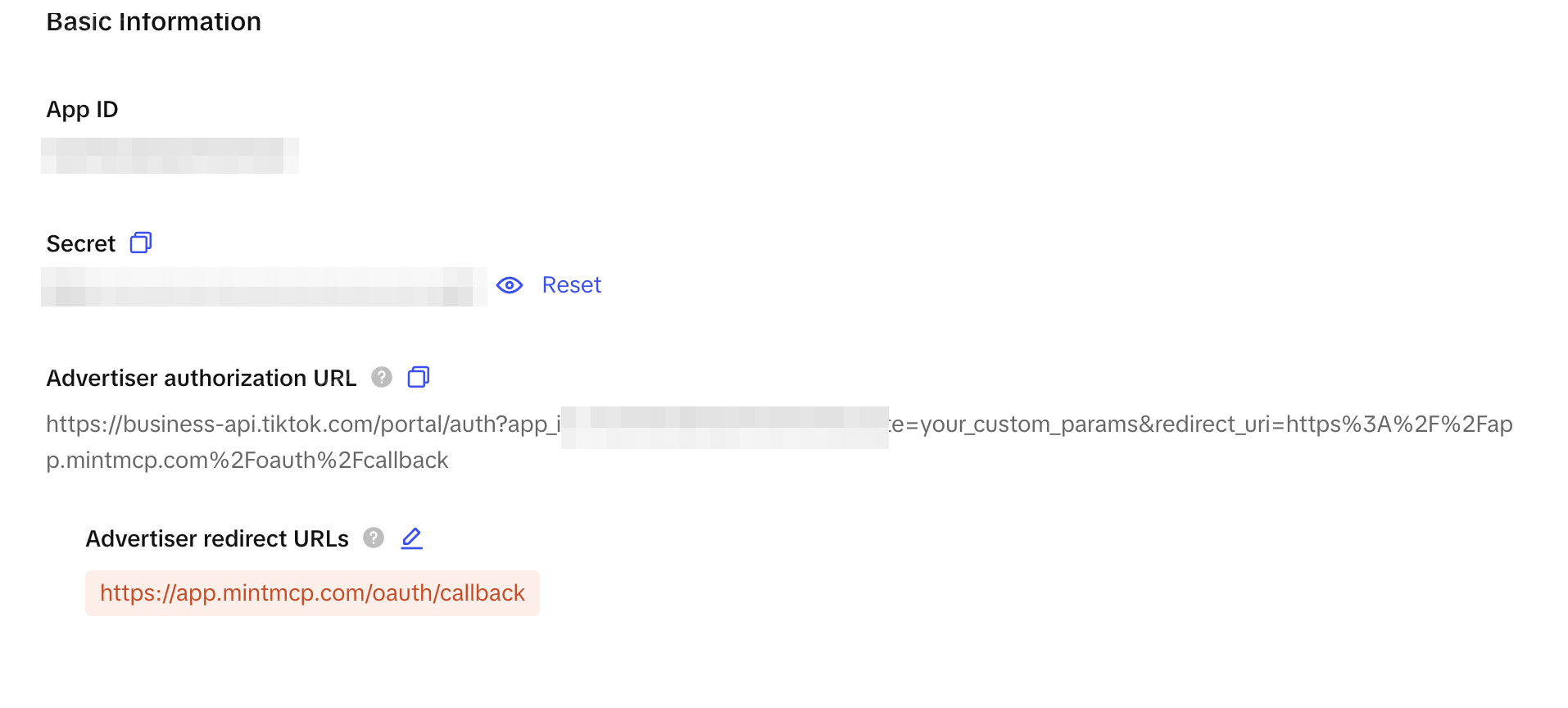
- Copy the App ID and Secret. You'll need them in the next step — keep the Secret private.
Add TikTok Ads to MintMCP
-
In MintMCP, go to MCP store → Manage store.
-
Find the TikTok Ads connector and click to install it.
-
Open the connector's OAuth settings and enter:
Setting Value Authorization URL https://business-api.tiktok.com/portal/authToken URL https://business-api.tiktok.com/open_api/v1.3/oauth2/access_token/Client ID App ID from your TikTok app's Basic Information page Client Secret Secret from your TikTok app's Basic Information page -
Confirm the Redirect URL shown in the connector's OAuth settings matches the URL you set in the TikTok app (
https://app.mintmcp.com/oauth/callback). They must be identical, or authentication fails. -
Click Save.
The first time a user calls a tool, MintMCP directs them to sign in with TikTok and select which ad accounts to share. After authorization, TikTok tokens don't expire unless revoked, so users won't need to re-authorize unless they disconnect.
Security considerations
- The App Secret acts as a client credential — anyone who has it can initiate OAuth flows on behalf of your app. Store it securely and don't share it.
- Each user authenticates individually, so tool calls run against that user's own TikTok for Business access, limited by their account permissions.
- Production ad accounts require your app to pass TikTok's review before users can authorize. Reviewers check that the scopes requested match your stated use case.
- TikTok tokens are long-lived. Users should revoke the MintMCP app's access from their TikTok for Business account if they leave the organization.
Next steps
- Tool customization — Control which TikTok Ads tools are exposed to users
- MCP gateway administration — Manage access and permissions