Set up the Buildkite MCP server
The Buildkite MCP server gives AI agents access to your pipelines, builds, and agents. Buildkite hosts it at two endpoints — one using OAuth, where users authorize in the browser, and one using long-lived API tokens. This guide covers setting up both and explains which to choose.
Prerequisites
- A MintMCP admin account
- A Buildkite account (sign up at buildkite.com)
Which option should I use?
| OAuth | API token | |
|---|---|---|
| Store listing | Buildkite (OAuth) | Buildkite (API token) |
| How users authenticate | Authorize through Buildkite in the browser on first connect — no token to create | Create an API access token in Buildkite and paste it on first connect |
| Credential lifetime | Access tokens expire after 12 hours; users re-authorize when prompted | Long-lived — revoke manually when no longer needed |
| Works without an interactive login | No — requires a browser authorize flow | Yes — suitable for headless agents and background services |
Add Buildkite to MintMCP
Both options are pre-listed as recommended servers in the MintMCP MCP store.
- OAuth
- API token
Buildkite (OAuth) is pre-listed as a recommended server in the MintMCP MCP store. Buildkite supports dynamic client registration, so MintMCP registers automatically on first connect — no app creation or token needed.
- In MintMCP, go to MCP store > Manage store.
- Find Buildkite (OAuth) in the recommended servers list.
- Click Approve.
When users first connect, they select their Buildkite organization and authorize access. OAuth access tokens expire after 12 hours; users re-authorize when prompted.
Use this option for background services and automated agents that cannot complete an interactive OAuth login flow.
Create a Buildkite API access token
Each user creates their own API access token scoped to their Buildkite account.

- Click New API Access Token.
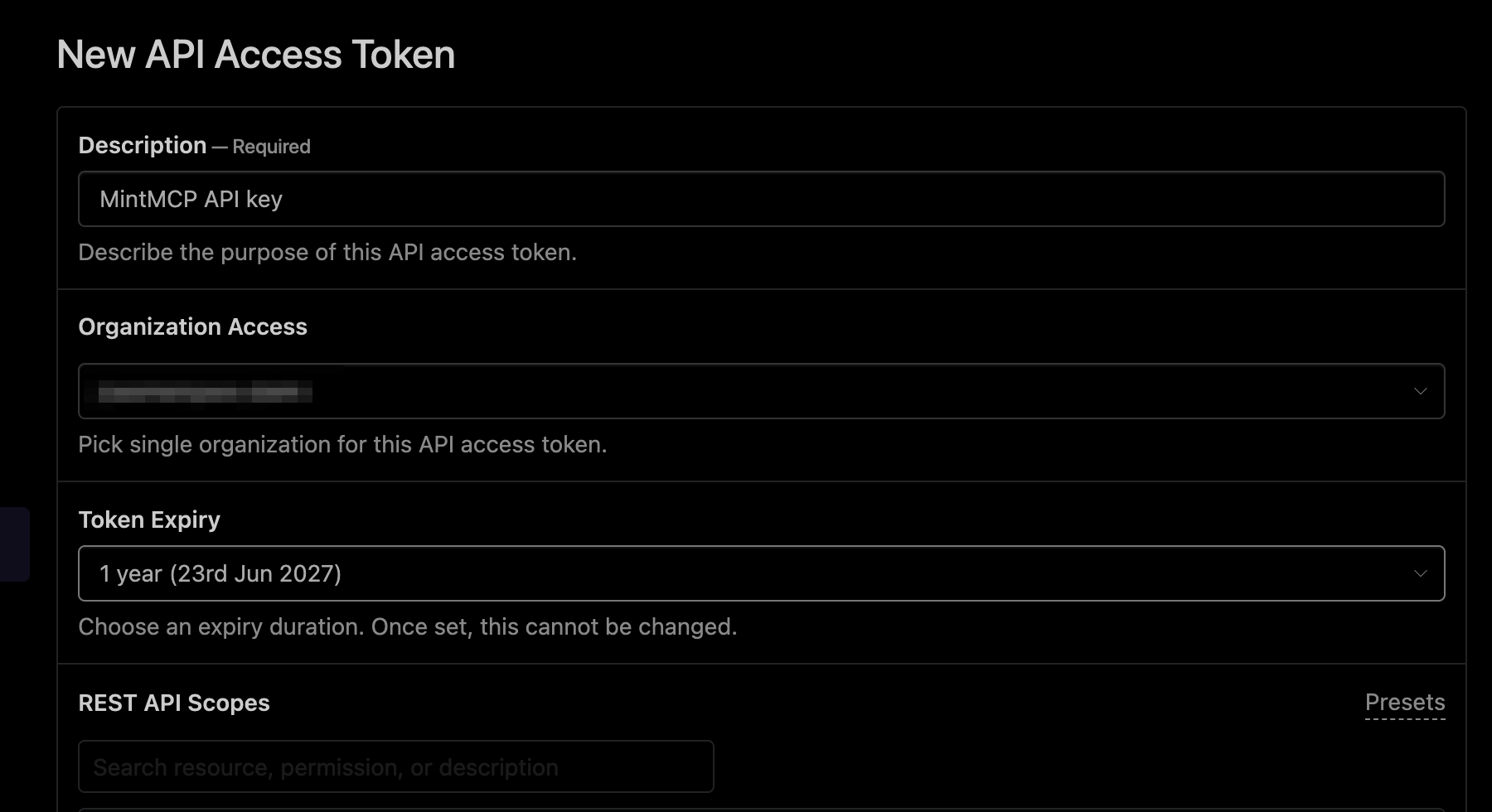
- Enter a Description — for example, "MintMCP API key".
- Under Organization Access, select the Buildkite organization to grant access to.
- Set Token Expiry. The expiry can't be changed after creation, so pick a duration that fits your rotation policy — or Never for a non-expiring token.
- Under REST API Scopes, select the scopes the MCP server needs — see the scope reference below.
- Leave GraphQL API Access set to Disabled — the MCP server uses the REST API.
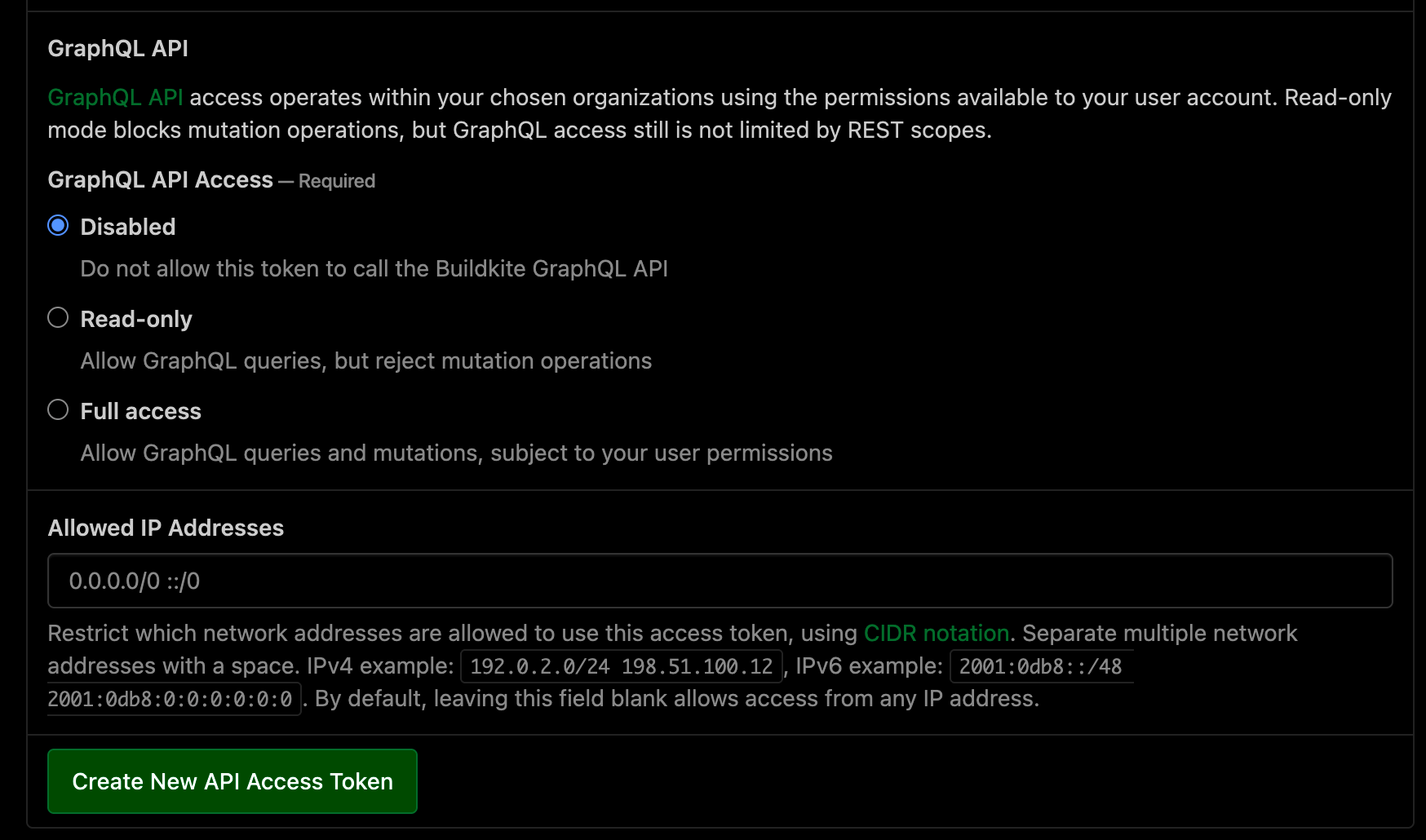
- Click Create New API Access Token.
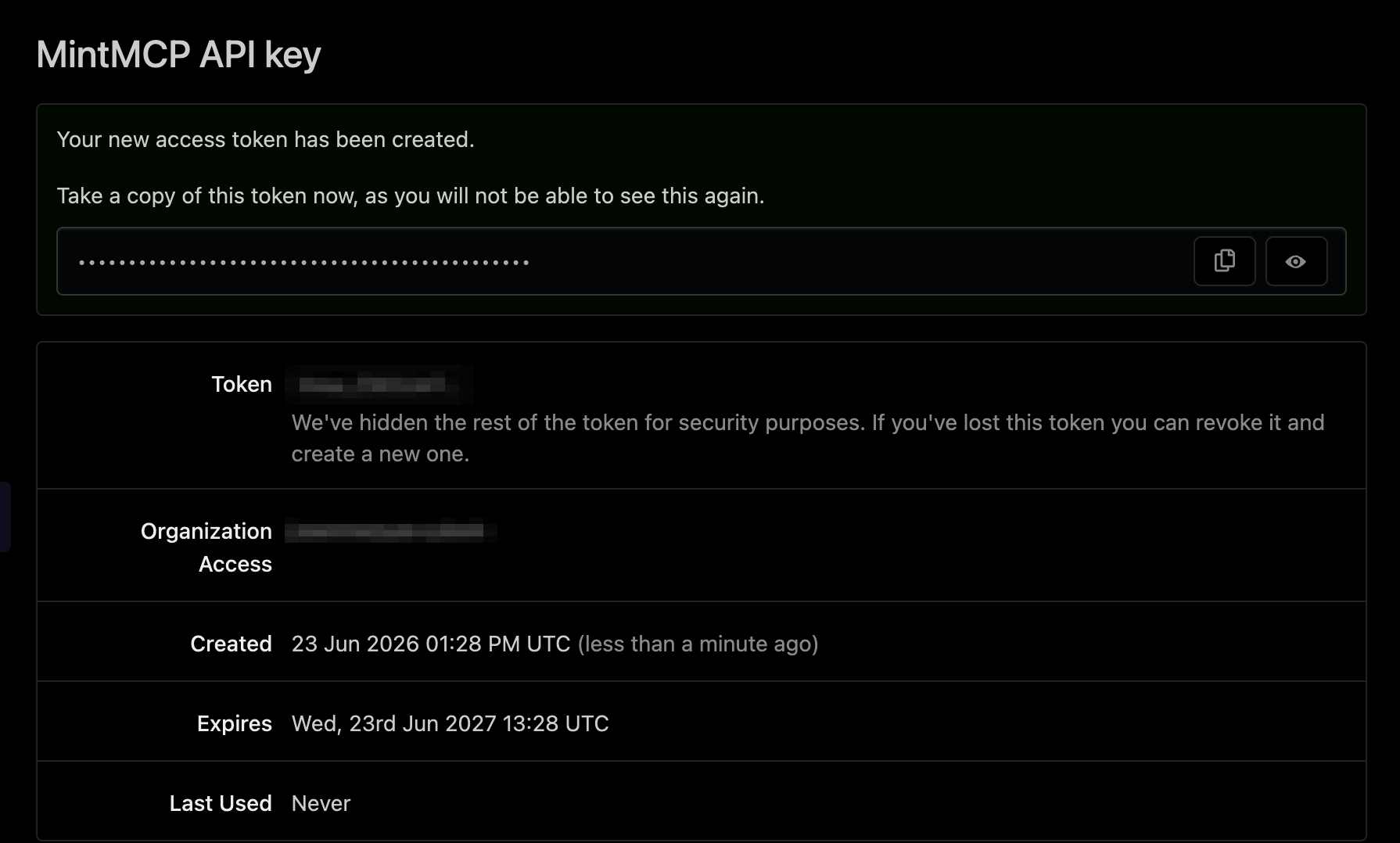
- Copy the token value — it is shown only once.
Scope reference:
| Capability | Scope category |
|---|---|
| View pipelines | Pipelines — Read |
| Trigger and update pipelines | Pipelines — Write |
| View builds and jobs | Builds — Read |
| Trigger builds | Builds — Write |
| View build logs | Logs — Read |
| View build artifacts | Artifacts — Read |
| View agents | Agents — Read |
| View organizations | Organizations — Read |
Apply the minimum scopes your agent requires. For read-only agents, select only Read-level scopes.
Approve in MintMCP
Buildkite (API token) is pre-listed as a recommended server in the MintMCP MCP store.
- In MintMCP, go to MCP store > Manage store.
- Find Buildkite (API token) in the recommended servers list.
- Click Approve.
Each user enters their own API access token when connecting through MintMCP.
IP allowlists
If your Buildkite organization has an API IP allowlist configured, add Buildkite's egress IP addresses to it — the remote MCP server makes requests from Buildkite's own infrastructure. Current egress IPs are available at api.buildkite.com/v2/meta.
Security considerations
- API access tokens are shown only once at creation — copy the value before leaving the page.
- Apply the minimum scopes required by your agent. Read-only scopes are sufficient for most query operations.
- Revoke API tokens at buildkite.com/user/api-access-tokens when they are no longer needed.
- OAuth tokens are short-lived (12 hours), which limits the exposure window if a token is intercepted.
- Per-user auth (both OAuth and API tokens) ties each tool call to an individual Buildkite identity, so actions are auditable per user.
Next steps
- Tool customization — Control which Buildkite tools are exposed to users
- MCP gateway administration — Manage access and permissions