Set up the Azure MCP server
The Azure MCP server gives AI agents access to Azure resources including Cosmos DB, Key Vault, AI Search, Azure Monitor, Storage, App Configuration, RBAC, and AKS. This guide covers creating a service principal in Microsoft Entra ID, assigning it Azure RBAC roles, and installing the connector from the MintMCP store.
Prerequisites
- A MintMCP admin account
- An Azure subscription (sign up at azure.microsoft.com), with Owner or User Access Administrator rights to assign roles
Create a service principal
The connector authenticates as a service principal: a non-human identity created in Microsoft Entra ID with its own client secret. Register it and grant it Azure RBAC roles either through the Azure portal or with a single Azure CLI command.
- Azure portal
- Azure CLI
Register the service principal
-
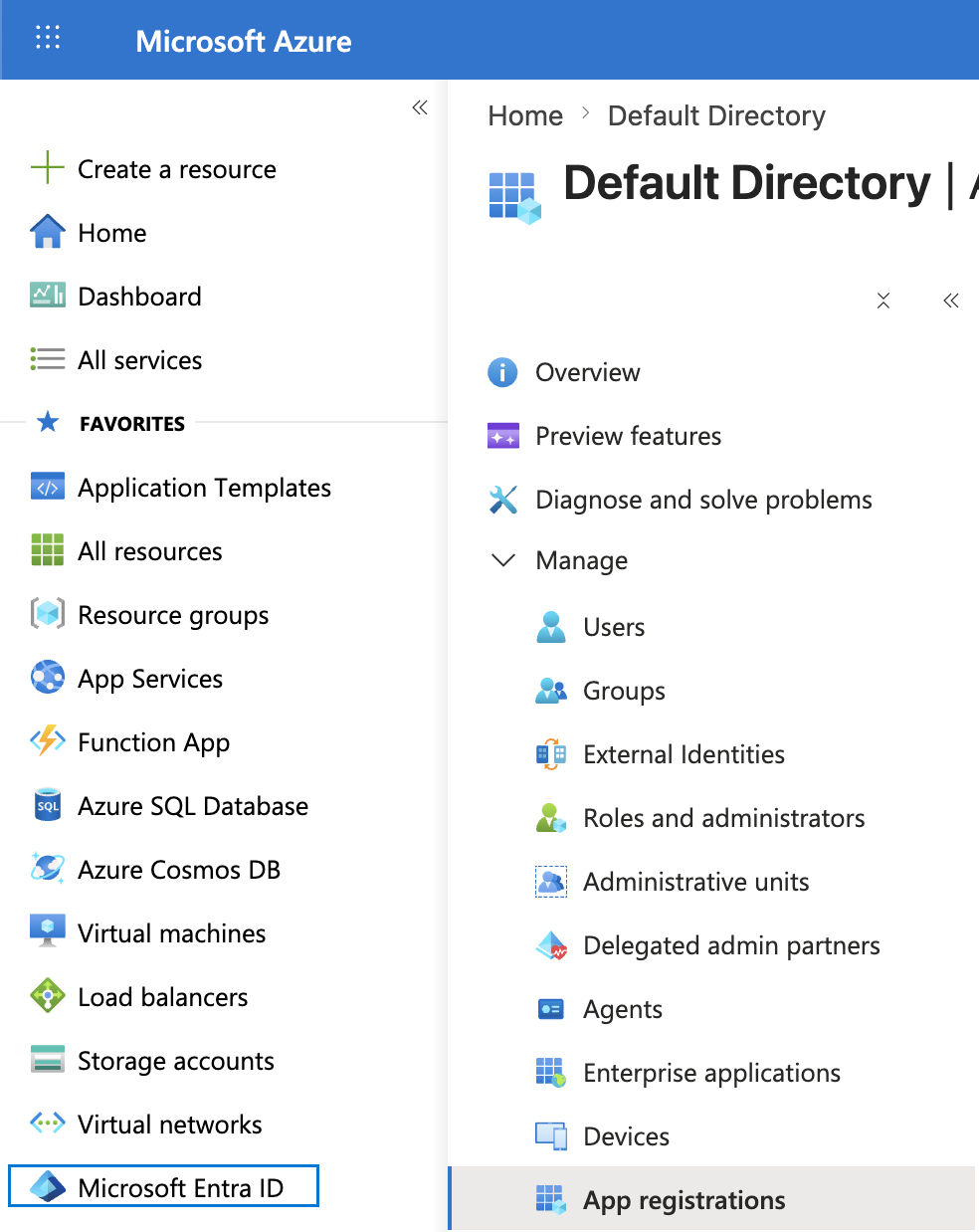
Go to portal.azure.com > Microsoft Entra ID > App registrations.
-
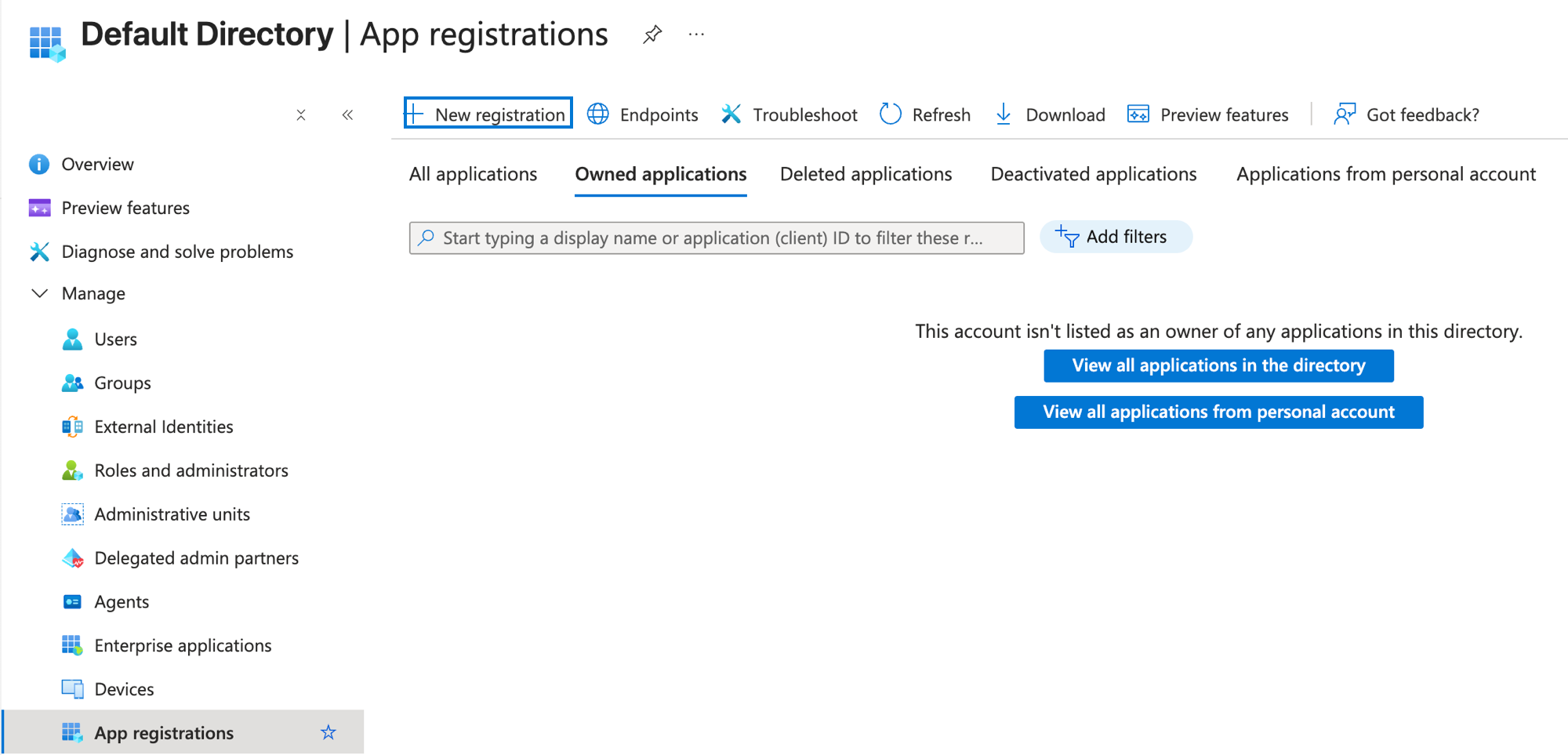
Click New registration.
-
Enter a name (for example, MintMCP Azure) and click Register.
-
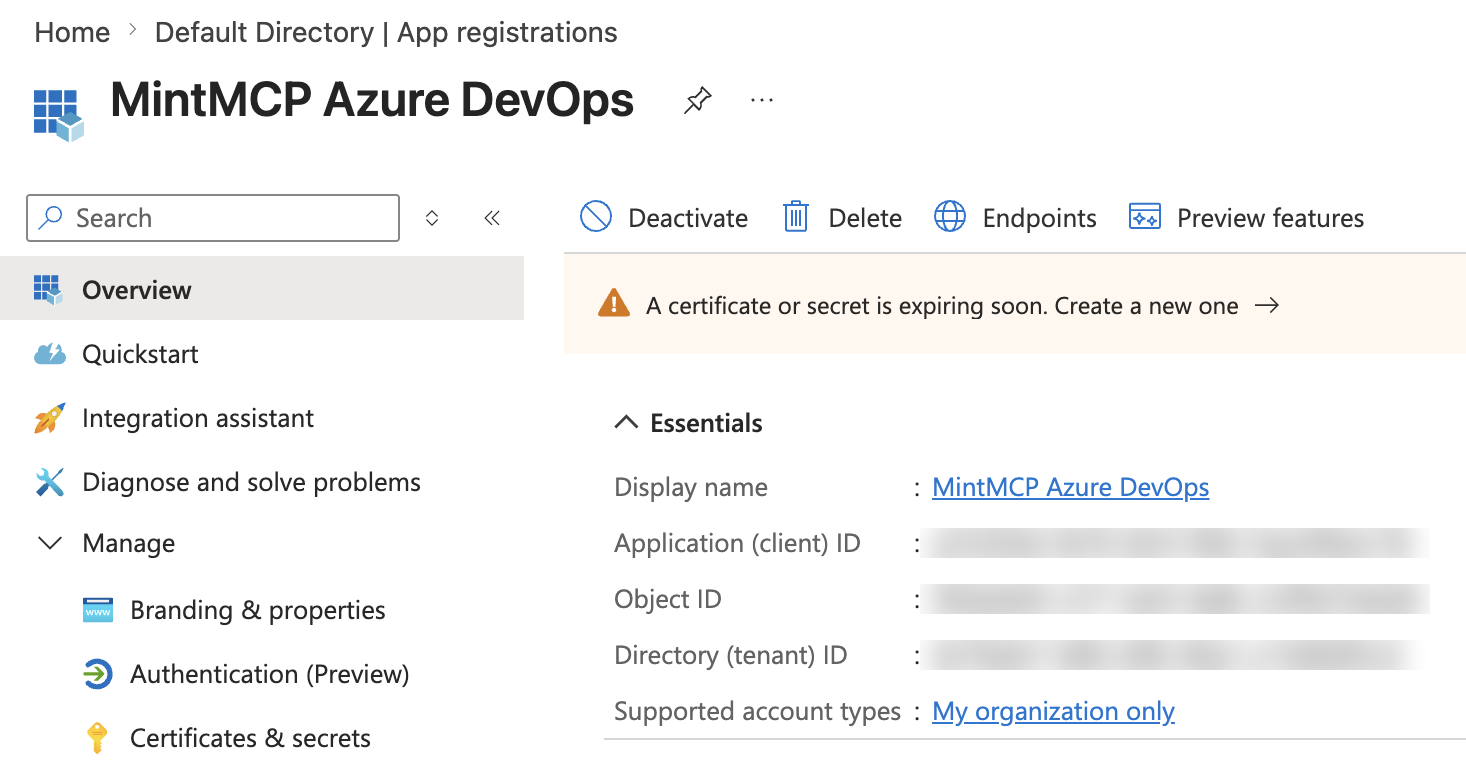
On the Overview tab, copy the Application (client) ID and Directory (tenant) ID. You'll need both when configuring the connector.
-
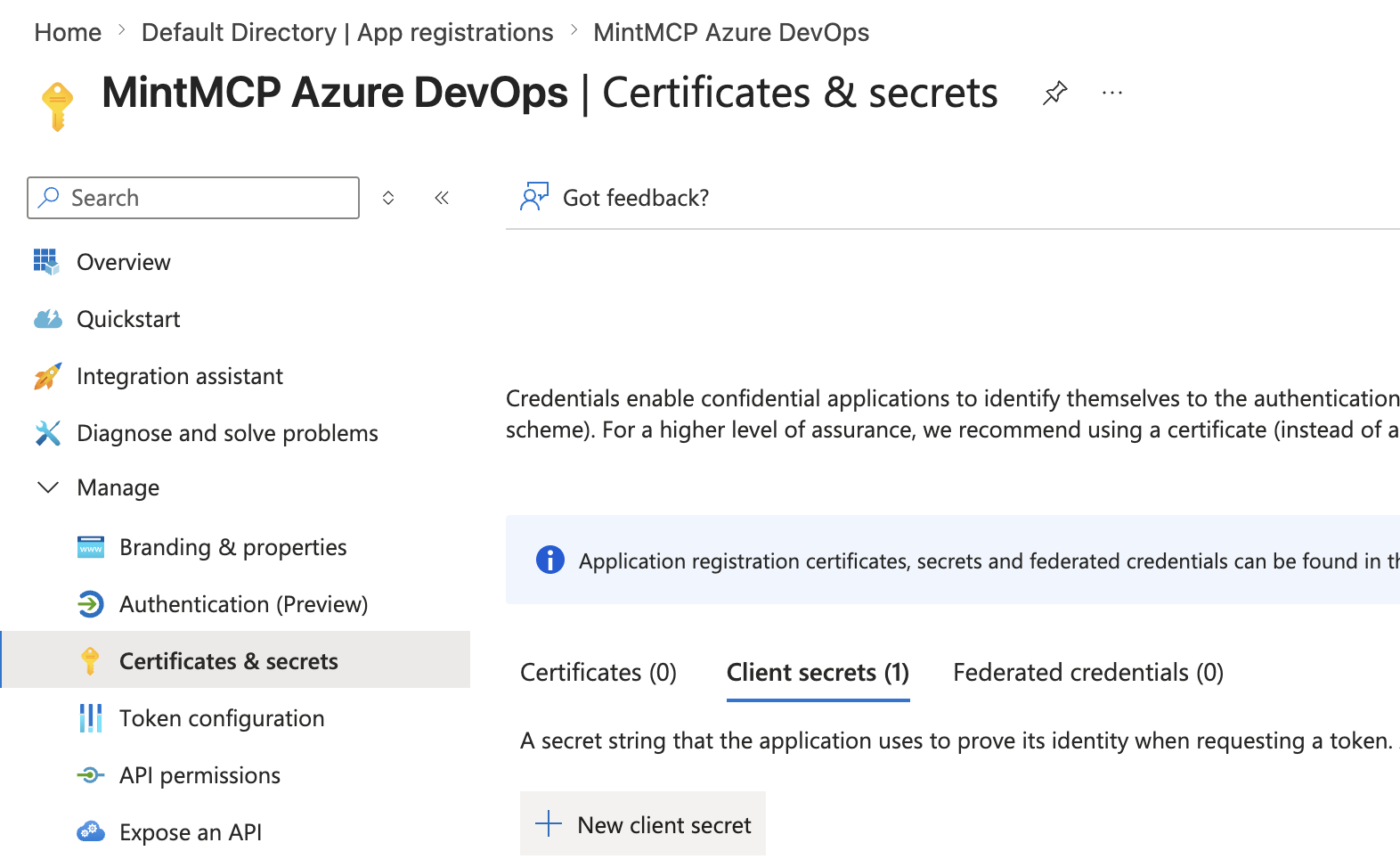
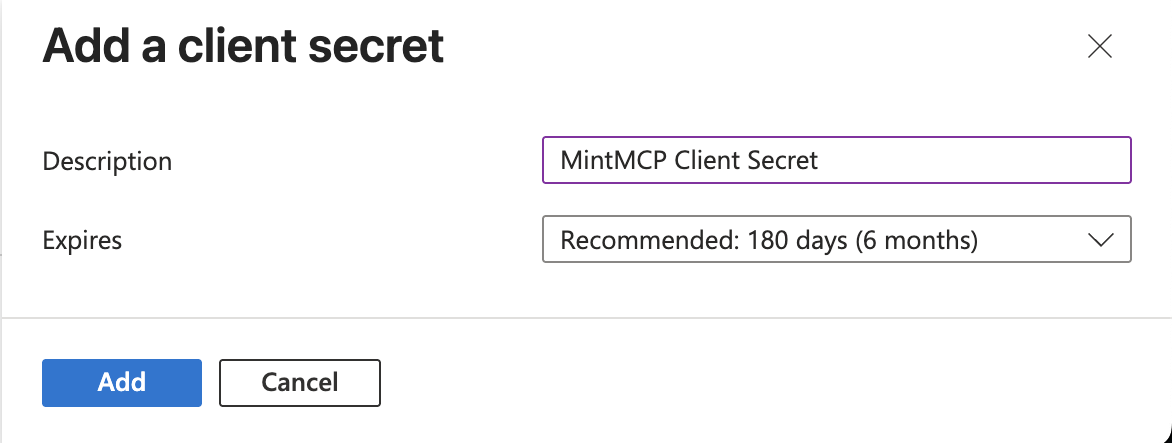
Go to Certificates & secrets > Client secrets > New client secret.
-
Enter a description and expiry, then click Add.
-
Copy the Value immediately — it is not shown again.

Assign RBAC to the service principal
Grant the service principal the minimum Azure RBAC role on each subscription or resource group it should reach.
- Go to Subscriptions and select a subscription.
- Click Access control (IAM) > Add > Add role assignment.
- Select a role — Reader for read-only access, or a narrower write role for specific operations.
- Under Assign access to, select User, group, or service principal, then search for the app registration name (e.g., MintMCP Azure).
- Click Review + assign.
Repeat for each subscription or resource group the connector should reach.
Create the service principal and assign its Azure RBAC role in one command:
az ad sp create-for-rbac --name mintmcp-azure --role Reader --scopes /subscriptions/<subscription-id>
The output fields map directly to the three required variables: tenant → AZURE_TENANT_ID, appId → AZURE_CLIENT_ID, password → AZURE_CLIENT_SECRET.
Use Reader for read-only access, or a narrower write role for specific operations. To grant access to more subscriptions or resource groups, add each scope to --scopes, or run az role assignment create for the existing service principal.
Add Azure to MintMCP
-
In MintMCP, go to MCP store > Manage store.
-
Find Azure in the recommended servers list and click Install.
-
On the connector's configuration screen, fill in the required fields below, plus any optional ones that fit how your team will use the server.
Variable Required Description AZURE_TENANT_IDYes Directory (tenant) ID from the app registration AZURE_CLIENT_IDYes Application (client) ID from the app registration AZURE_CLIENT_SECRETYes Client secret Value from the app registration AZURE_SUBSCRIPTION_IDNo Default subscription ID; if omitted, pass one per tool call AZURE_MCP_NAMESPACENo Space-separated service namespaces to expose, e.g. storage keyvault monitor. Leave blank to expose all services.AZURE_MCP_READ_ONLYNo Set to trueto block all write and delete operations -
Click Install.
Troubleshooting
AADSTS700016(Application not found): TheAZURE_CLIENT_IDvalue does not match any app registration in this tenant. Confirm the Application (client) ID was copied from the Overview tab of the correct registration.403 Forbiddenon tool calls: The service principal lacks an RBAC role on the target subscription or resource group. Add a role assignment under Subscriptions > Access control (IAM) > Add role assignment.- Connector starts but tool calls fail: Credentials are read at tool-call time, so the connector starts even if the
AZURE_*variables are missing or incorrect. Verify all three required values in the connector's environment settings.
Security considerations
- All users share the same service principal, so its RBAC scope determines what every user can do. Assign the minimum roles required and limit scope to specific subscriptions or resource groups rather than the entire tenant.
- Set
AZURE_MCP_READ_ONLY=trueunless your team specifically needs write or delete operations. - Client secrets expire. Rotate the secret in Certificates & secrets before its expiry date, since an expired secret breaks all tool calls.
Next steps
- Tool customization — Control which Azure tools are exposed to users
- MCP gateway administration — Manage access and permissions