LLM gateway
The LLM gateway intercepts your agents' inference traffic. It complements the MCP gateway, which governs tool traffic, so that all of an agent's traffic runs through MintMCP and is guarded the same way.
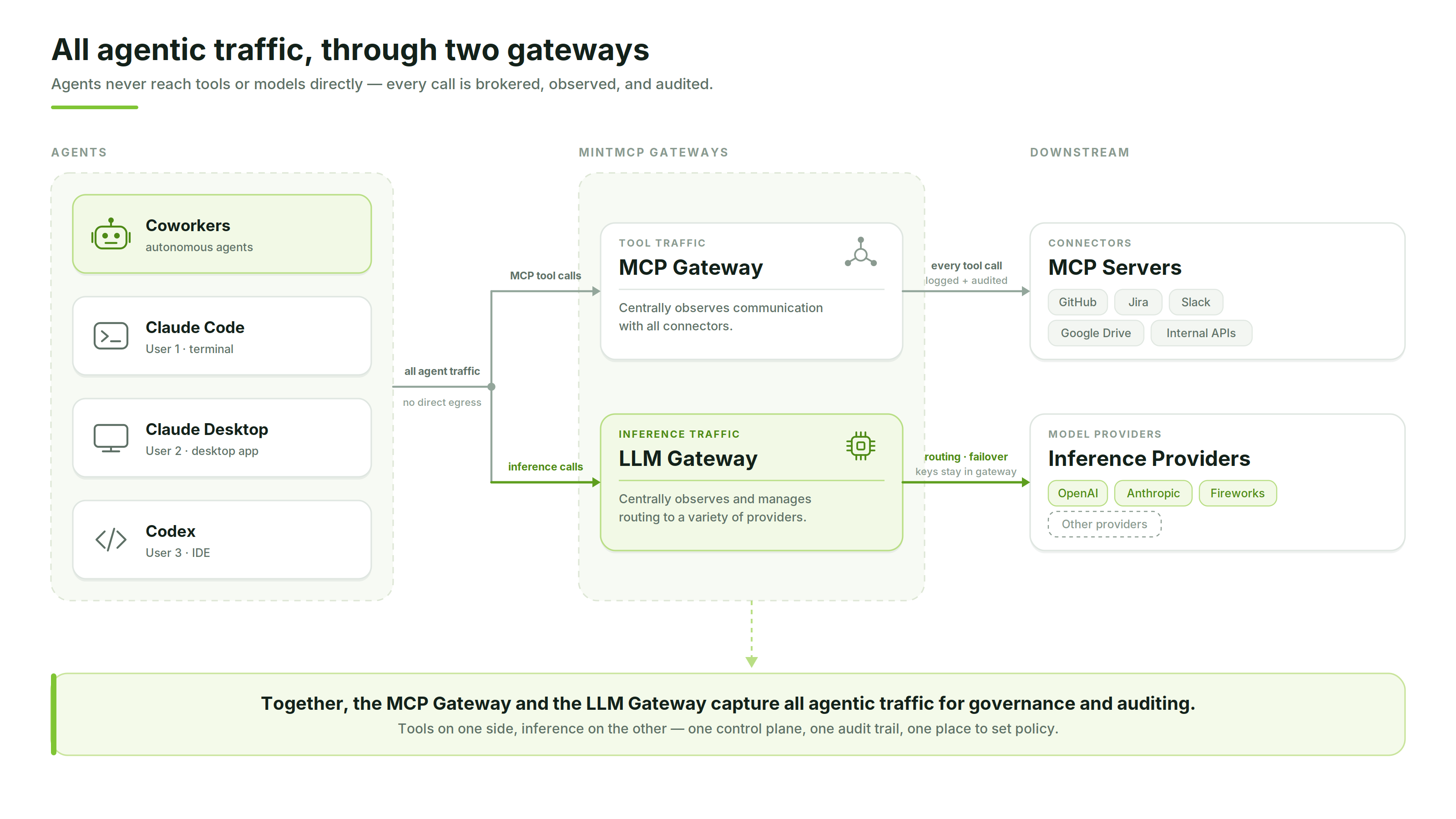
The LLM gateway is in early access. Contact us to enable it for your organization.
What you get
- Broad harness coverage. The gateway works across a wide variety of agent harnesses, so you govern inference regardless of the tool a developer or coworker agent runs.
- Budgets and model restrictions for flexible groups. Assign spend budgets and allowed-model lists to the groups and teams in your organization, using the same identities you already manage in MintMCP.
- Easy provider swapping. Connect providers like OpenAI, Anthropic, and Fireworks, and switch between them without rewiring each agent.
How it fits together
You govern the gateway through policies. A policy is where you set who can use the gateway, which provider and models they get, and how much they can spend. Because policies use MintMCP's access control, the same users and groups you manage elsewhere carry over, so different teams can run under separate policies with their own budgets and model restrictions.
Getting started
From the LLM gateway home, add a provider credential and create a policy, or create a policy directly and link your subscription seats instead.
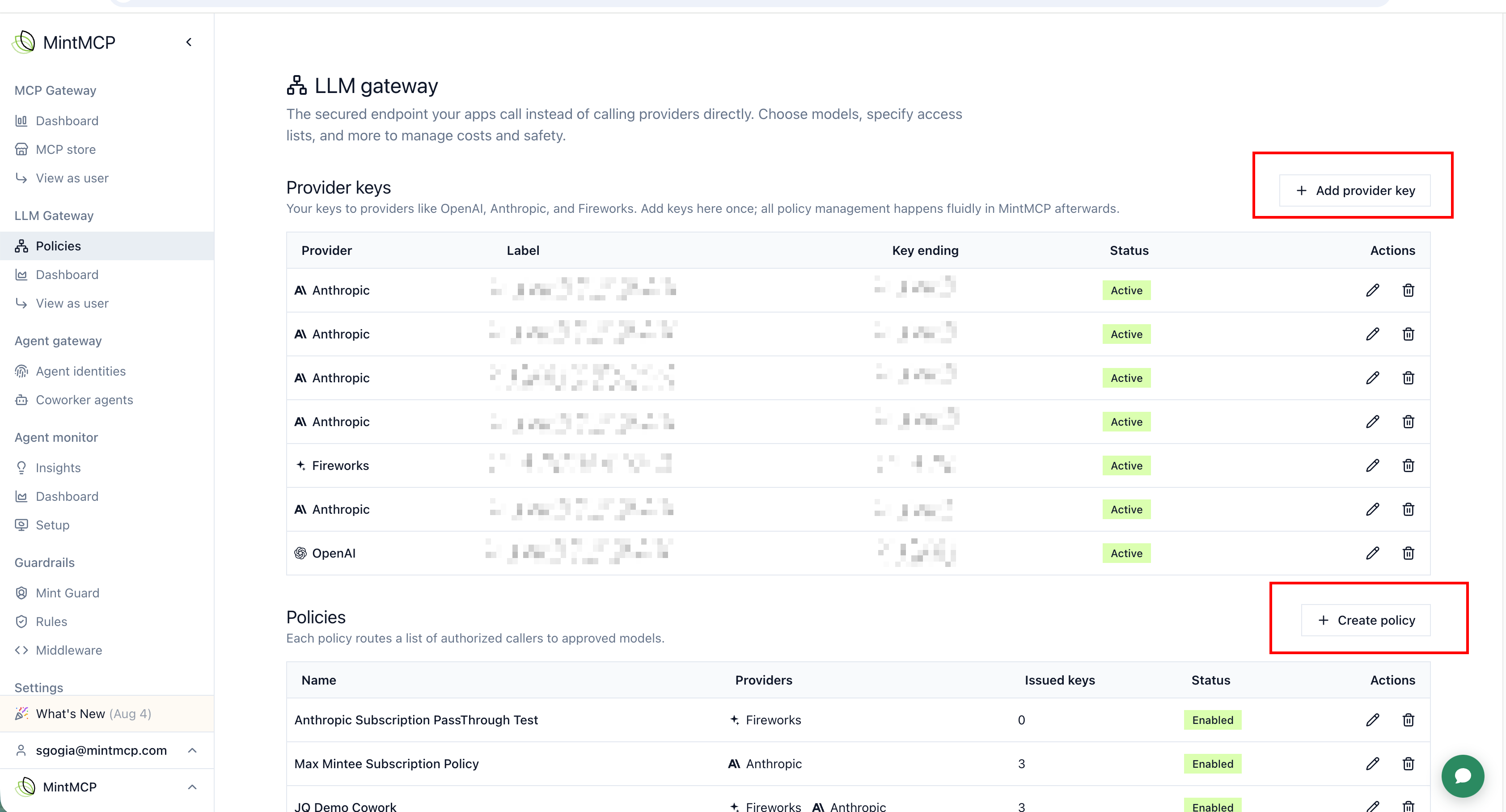
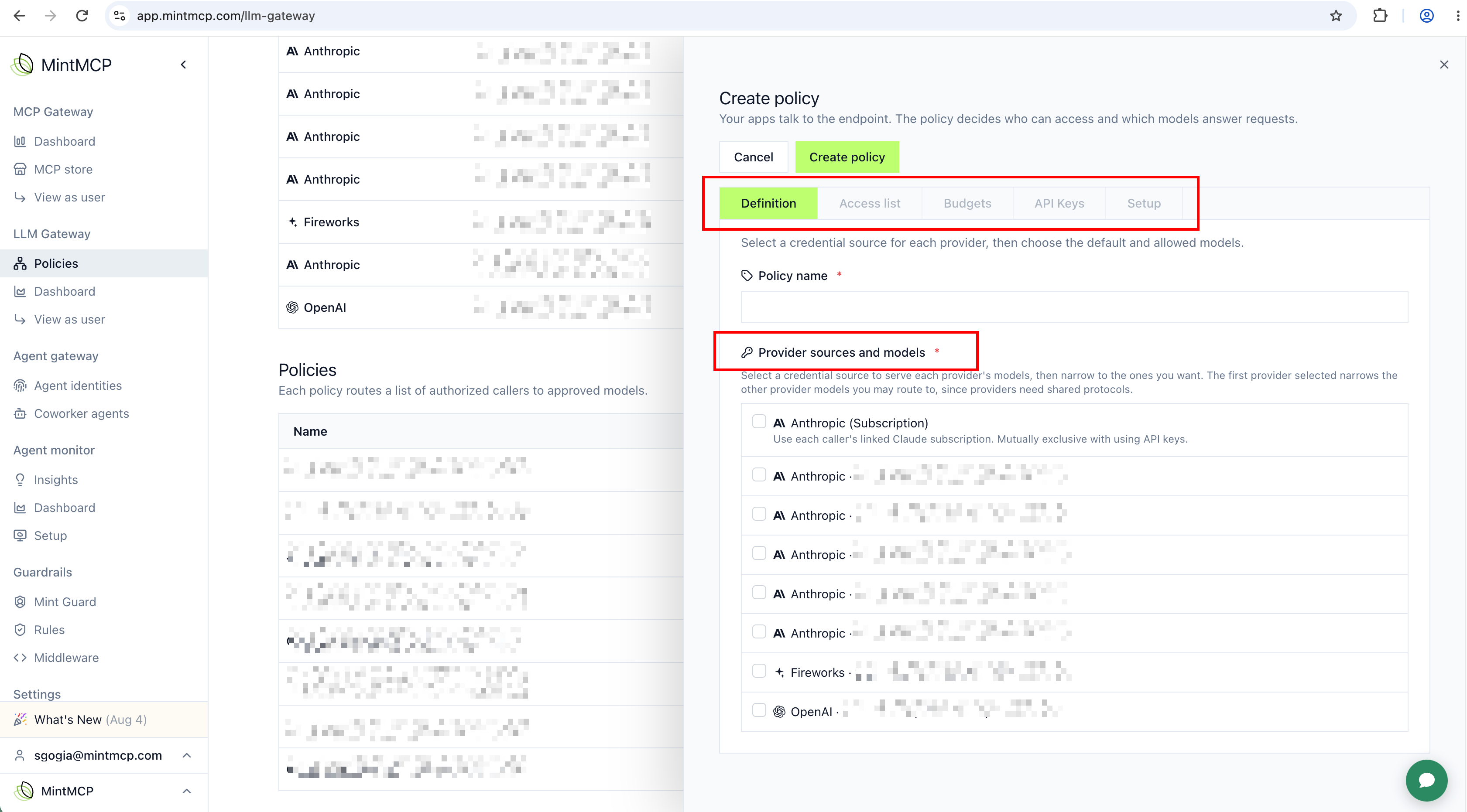
Every policy gives you access to the same functionality:
- Subscription seat linking: use the Anthropic (Subscription) source under Provider sources and models instead of an API key.
- Provider and model selection: choose which provider sources and models the policy can reach, also under Provider sources and models.
- Budgeting: cap spend from the Budgets tab.
- Access control: grant Can Use from the Access list tab.
Next steps
- Access control: grant teams and users access to a policy
- Budgets: cap and manage spend per policy
- Provider and model selection: connect providers and restrict models
- Monitoring and analysis: review inference calls and usage
- Coworker integration: route Coworker Agents through the gateway
- User setup: configure local harnesses with the installer