Access control
Control who can use an LLM gateway policy. LLM gateway policies use the same access control mechanisms as the rest of MintMCP, so the user identities and groups you already manage carry over. You adjust access from the policy's Access list tab.
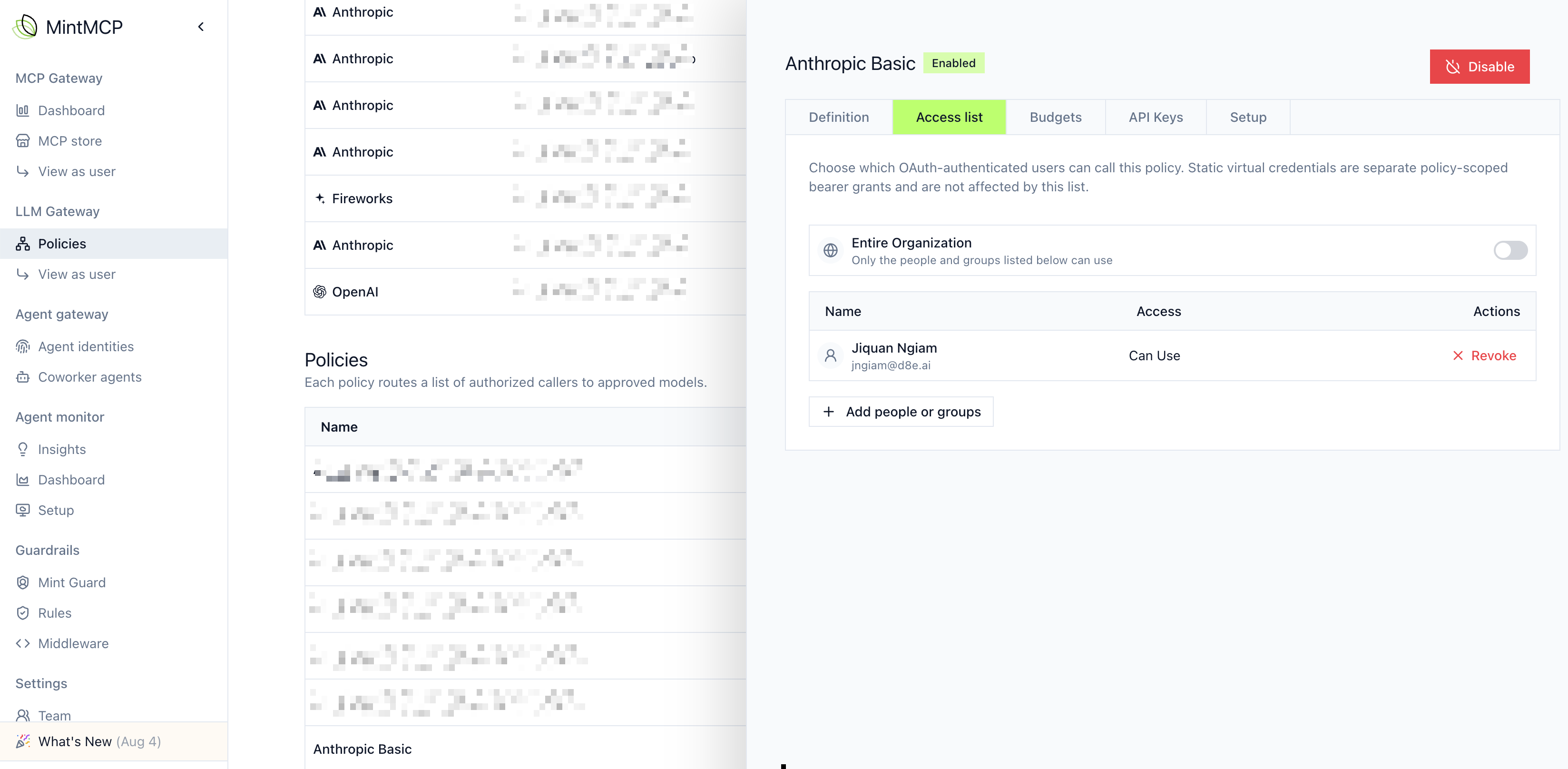
Grant access to a policy
The Access list tab is a grant editor: an Entire Organization toggle plus per-user and per-group grants. For LLM gateway policies the relevant level is Can Use, which lets the subject route inference through the policy. Three common configurations, in order of typical use:
- Everyone. Turn on the Entire Organization toggle so all members can use the policy. Reasonable for a single shared policy, but rare once you separate teams by budget or model.
- Selected groups and users. The default. Leave the toggle off and grant Can Use to the directory groups that represent each team, plus any individual exceptions. This is auditable and survives re-orgs as long as the groups do.
- No caller grants. With the toggle off and no Can Use grants, only the policy's editors and org-wide admins can use it. Use this while you set up and test a policy.
Individual users can be granted Can Use on top of a group-based policy to handle exceptions, such as a cross-functional hire or a pilot participant, without creating a new group.
Why per-team policies
Separate policies let teams run with their own budgets and model restrictions. A common setup gives each team its own policy: grant Can Use to that team's group, then set the policy's budget and allowed models to match how the team should spend and which models it should reach. Because access follows your directory groups, membership stays current as people join and leave teams.
Group-based restriction requires SSO. Group membership comes from your SSO provider (see Configure SSO and SCIM) rather than groups defined inside MintMCP. If SSO-based groups aren't configured yet, restrict per-user by granting Can Use to specific users, then move to group-based policies once directory integration is in place.
Permissions
Managing LLM gateway policies requires the LLM gateway manage permission. Members without it can view their own usage but cannot change policy settings or issue keys.
Assign the permission through Roles and permissions.
Next steps
- Budgets: set and manage spend for a policy
- Provider and model selection: choose the provider and restrict models