Provider and model selection
Choose which provider backs an LLM gateway policy, connect it with an API key or subscription seats, and restrict which models the policy can reach.
Provider support
MintMCP supports connecting to OpenAI, Anthropic, and Fireworks:
- OpenAI and Anthropic give you frontier models and their surrounding ecosystems.
- Fireworks gives you third-party models and different data-retention options.
General OpenAI-compatible and Anthropic-compatible support is coming soon. It will let you point at other routers for their own optimizations while still using MintMCP for your core observability layer.
Connect a provider with an API key
Most providers offer access through API keys. Add a provider credential from the Provider keys section of the Policies page.
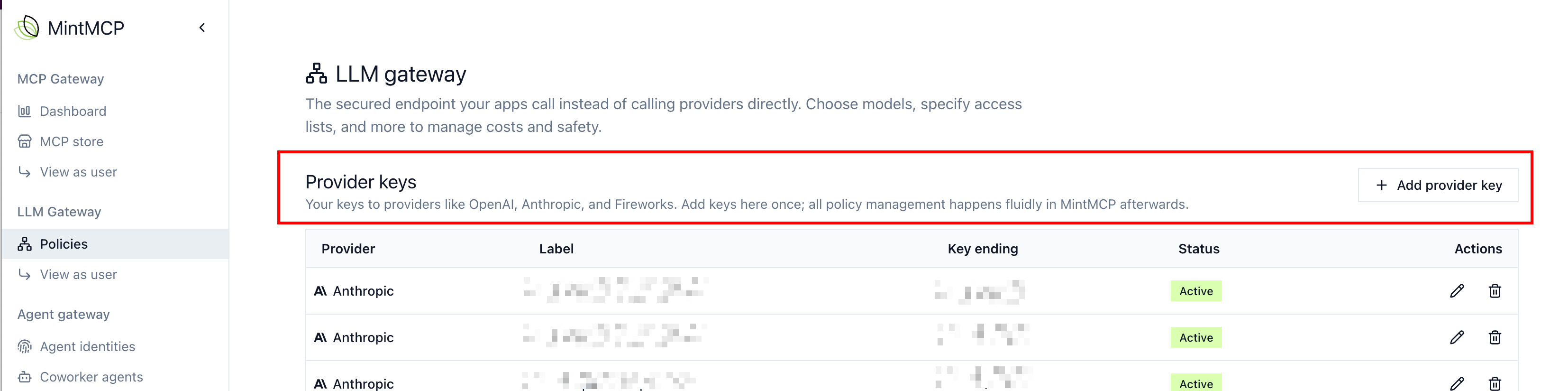
Once a key is connected, select it under Provider sources and models when you create or edit a policy. The same key can back more than one policy, and billing stays centralized at the provider for that key.
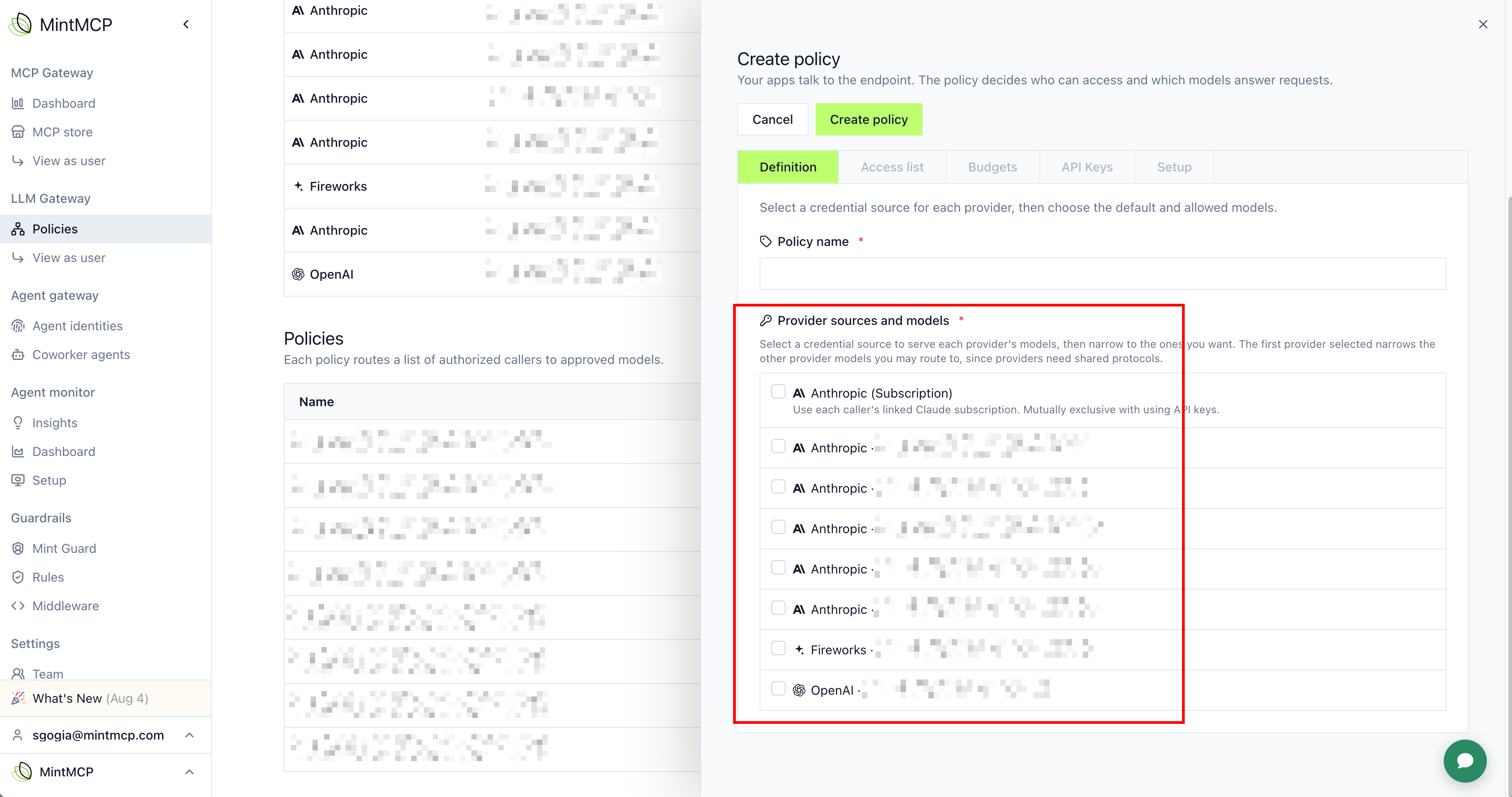
Common patterns with API keys:
- One key, many policies. Generate a single API key at the provider, then create multiple policies in MintMCP with their own rules on top of it.
- A key per team. Generate an API key per group or team at the provider, then align or layer MintMCP policies to match.
Link subscription seats
Subscription linking is currently supported for the Anthropic provider only.
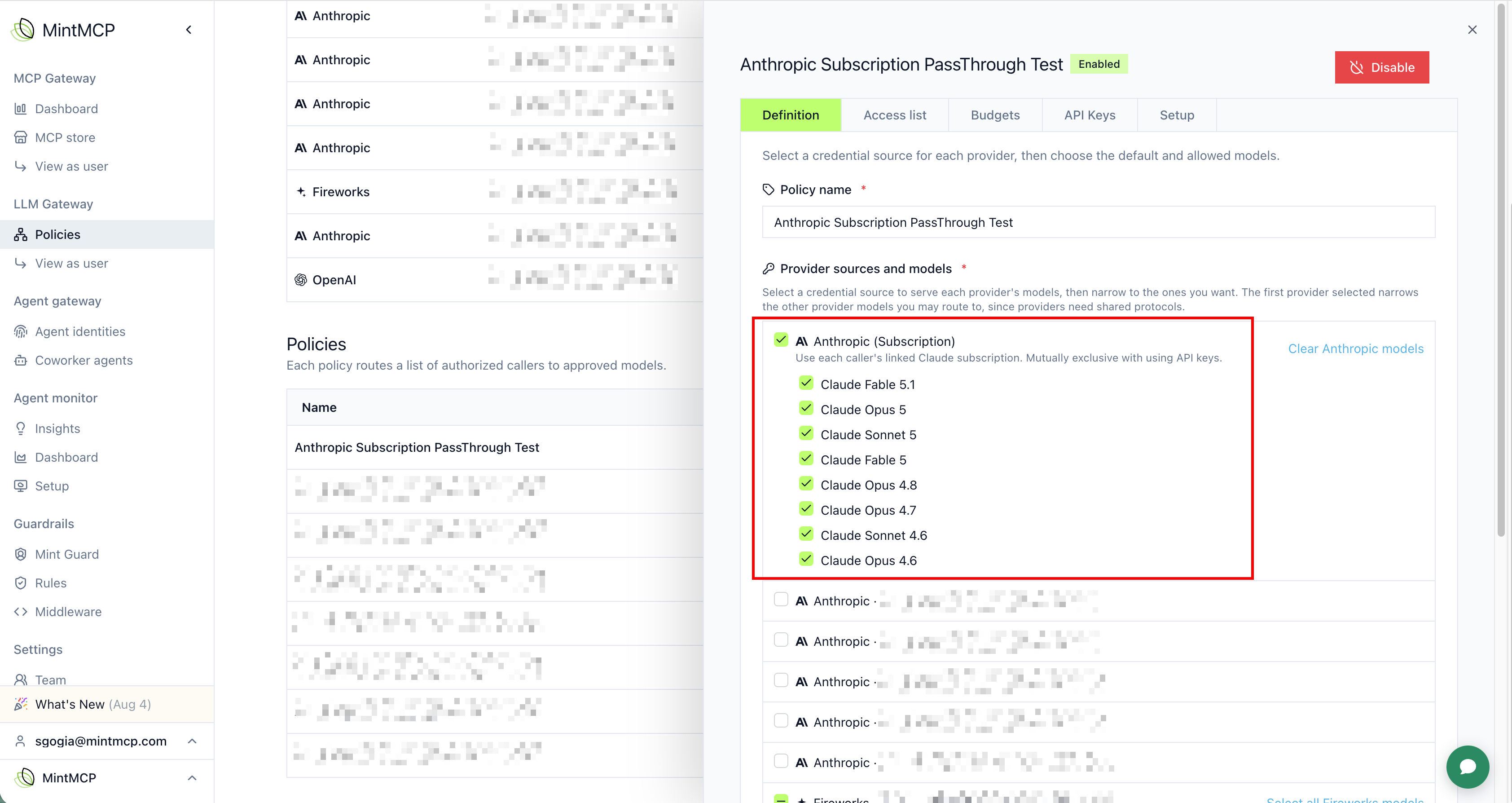
If your organization has subscription seats rather than an API-based usage account with the provider, link those seats through the LLM gateway. Instead of adding a provider credential, choose the Anthropic (Subscription) option under Provider sources and models when you create or edit a policy: it routes calls through each caller's linked Claude subscription instead of an API key, and is mutually exclusive with using API keys for that provider.
Restrict available models
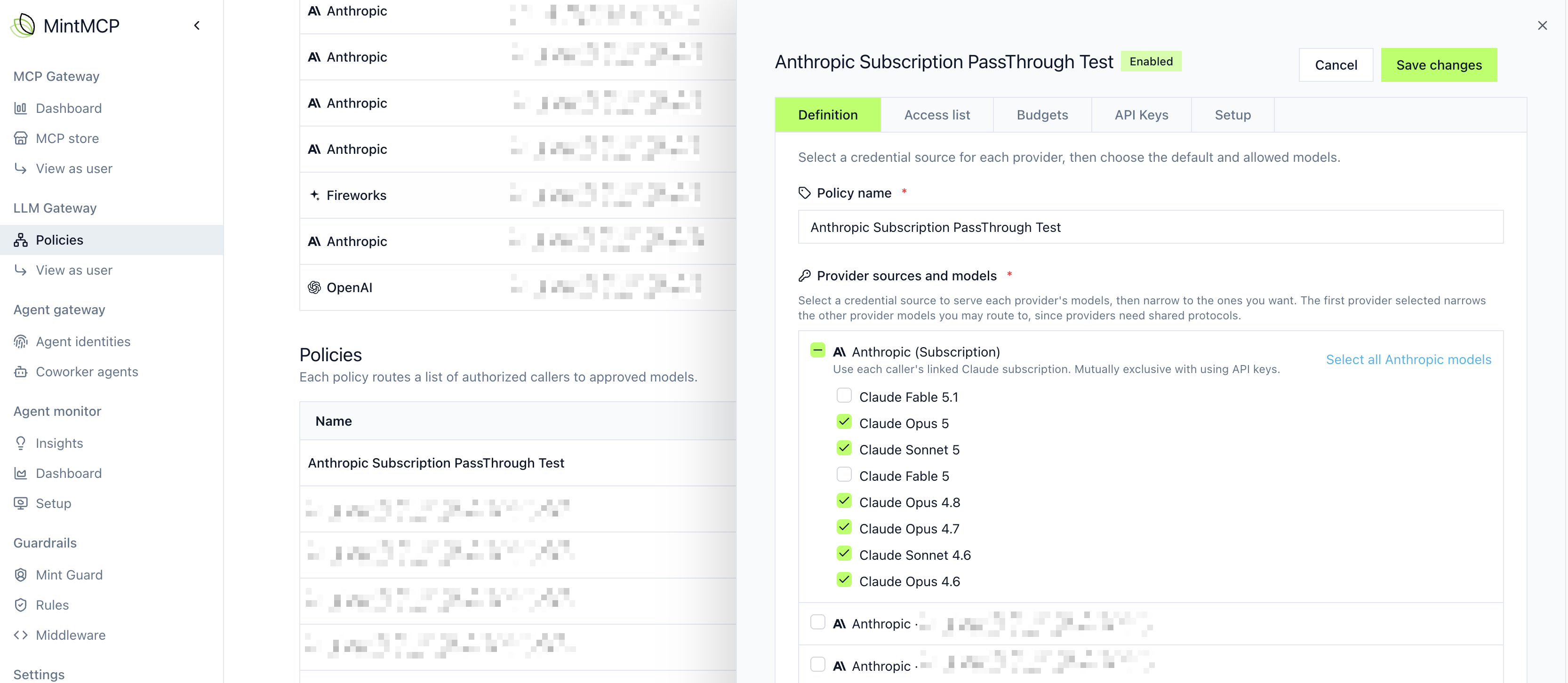
When you select a provider, you can limit exactly which models the policy exposes. This helps with both cost and data-retention control: users often don't check which model their harness defaults to, so without a restriction they can end up on a costly or non-compliant model.
Next steps
- Budgets: cap spend for the policy
- Monitoring and analysis: see which models and providers agents actually use