Budgets
Cap how much a team can spend on inference by setting a budget on its LLM gateway policy. You manage budgets from the policy's Budgets tab.
Set a budget
Budgets are per policy: you set one policy-wide budget rather than a limit for each user, which makes them a natural fit for managing a team's spend. From the Budgets tab you can set a budget, then remove, update, or reset it as your needs change. A reset applies to the current period.
What happens when a budget is exceeded
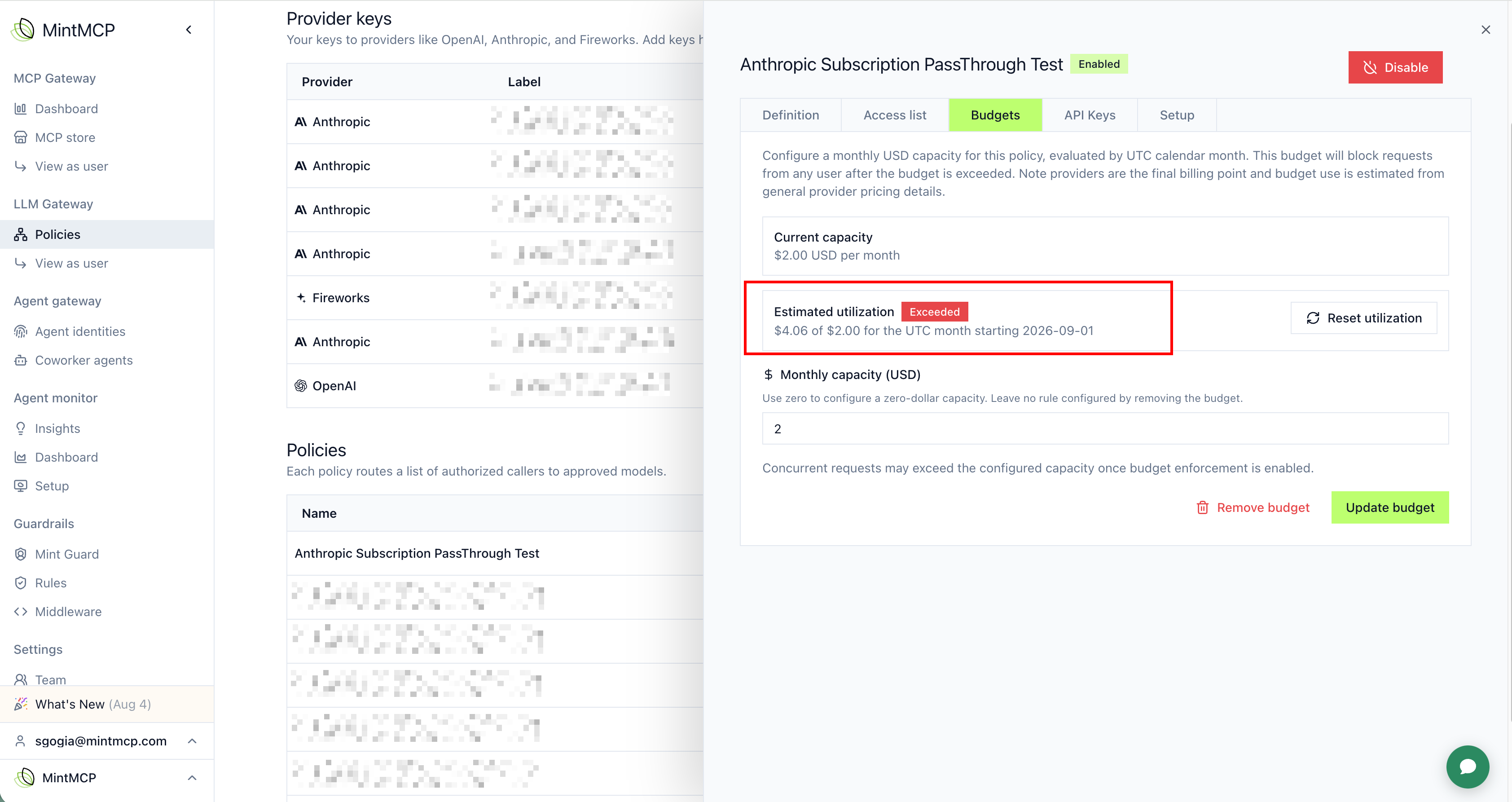
Once spend passes the budget, the policy stops accepting new inference. In MintMCP you see the policy as over budget:
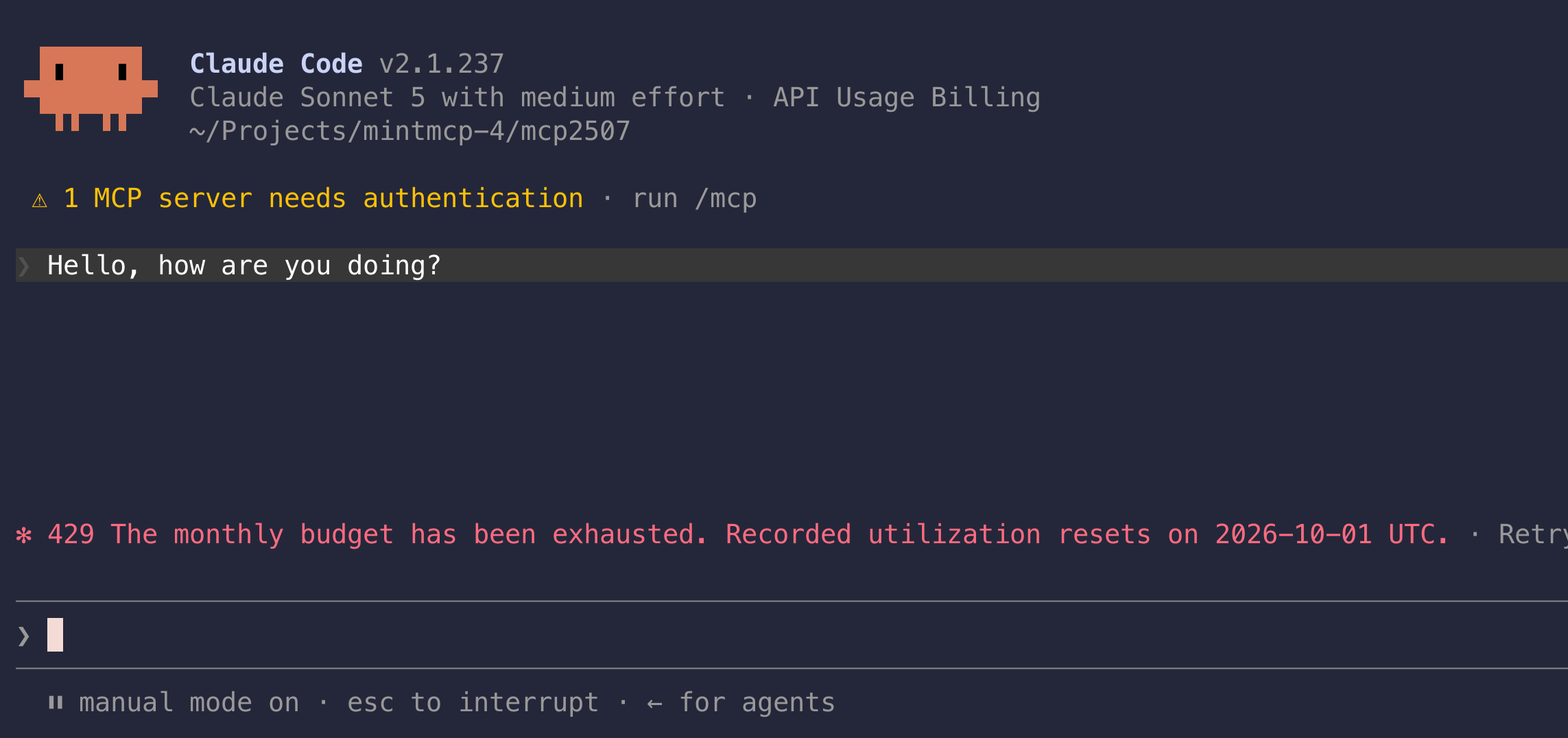
Agents running under the policy get a 429 response on rejected calls:
Auditing
Every budget change is recorded in the audit logs, so you have a trail of who set, updated, or reset a budget and when.
Notes and limitations
- Budgets are estimates, not provider bills. MintMCP computes spend as calls happen, so there can be small differences from your provider's final invoice.
- Limits trigger after they are passed. A budget stops traffic once spend has crossed the limit, so the call that crosses it still goes through.
- Standard model pricing. Budgets use standard published model pricing. They do not account for provider-specific negotiated token rates, so a policy with a discounted contract will show higher spend than you are actually billed.