Set up the AIO Tests MCP server
AIO Tests serves an MCP endpoint for each tenant, so agents reach your Jira test cases without a separate server to deploy.
Prerequisites
- A MintMCP admin account
- AIO Tests installed on your Jira Cloud site and enabled for at least one Jira project
Get your MCP URL
Each AIO Tests tenant has its own MCP URL, and that URL identifies your workspace when a client connects.
- In Jira, open Apps > AIO Tests in the sidebar, or open the AIO Tests tab inside any Jira project.
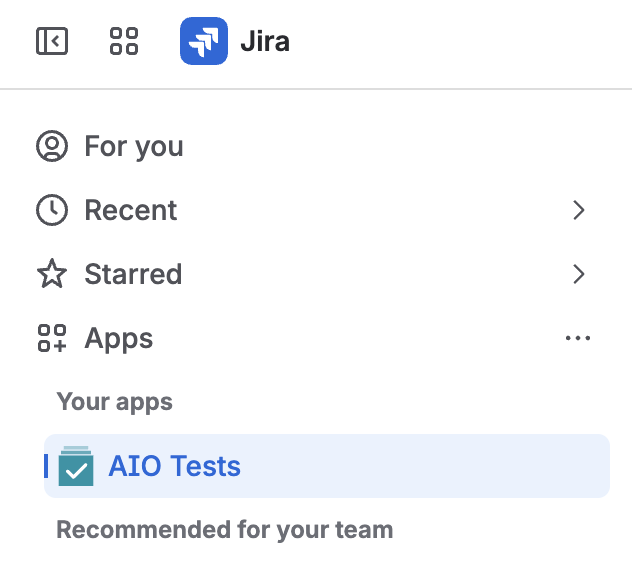
- Select the gear icon in the AIO Tests toolbar, then choose My Settings. This is the gear on the AIO Tests toolbar, to the right of Overview, Cases, and Sets, not the Jira settings gear in the top bar.

-
Select MCP Authorization in the sidebar menu.
-
Copy your MCP Server URL. It looks like
https://tcms-prod-us.aiojiraapps.com/aiotcms-mcp/v1/<your-tenant-id>/mcp, and the host reflects your region, so sites in the EU showtcms-prod-eu.aiojiraapps.com.
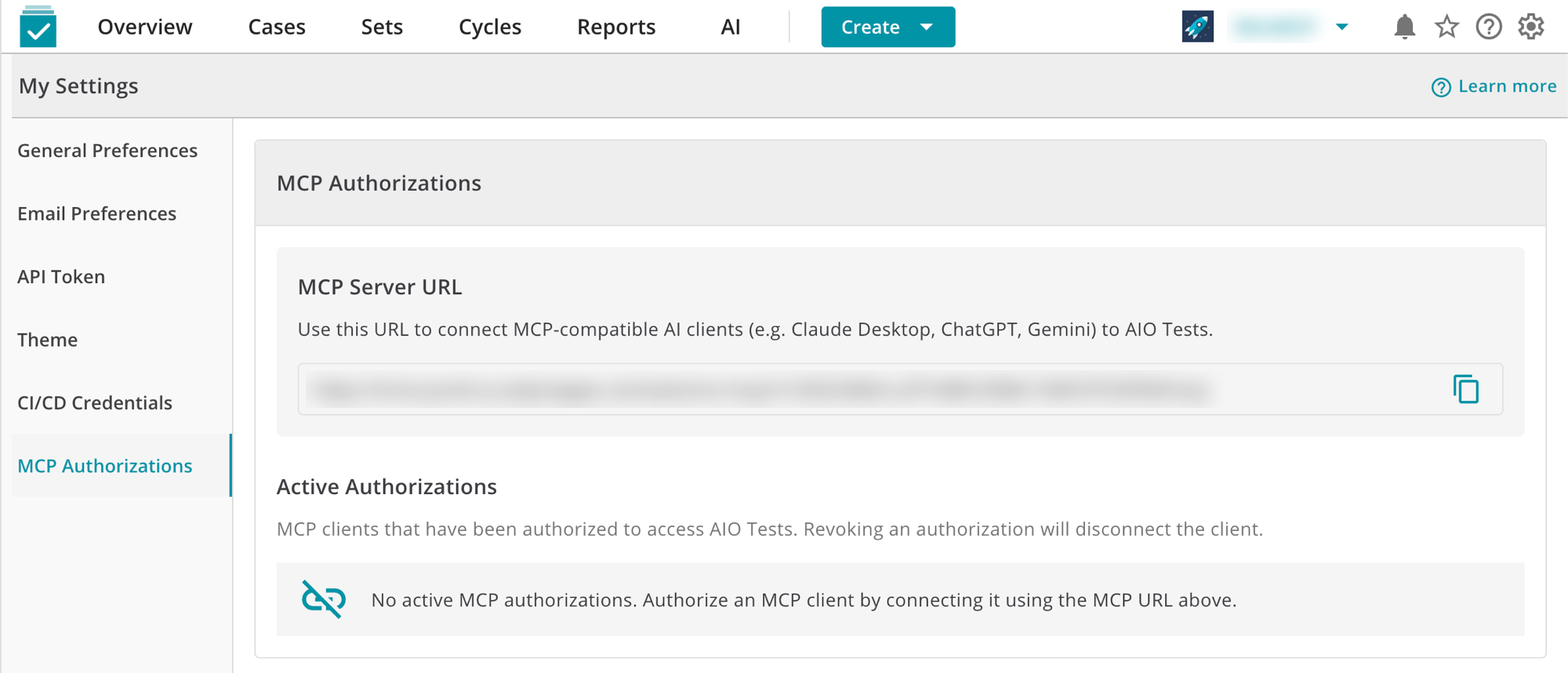
The URL is the same for everyone on your Jira site, so one admin can copy it once and share it with the team, and each user still authenticates individually.
Check whether your site runs Forge or Connect
OAuth needs the Forge version of AIO Tests 6.5.0 or later, because the consent screen runs as a Forge app on your own Jira site, so sites on the Connect version connect with an API token instead. To tell which build you run, open AIO Tests inside a Jira project and read the browser address bar:
| Address bar | Build | Authentication |
|---|---|---|
/jira/apps/c26d62cc-e411-43f4-b971-d9426e75eb4c/... | Forge | OAuth or API token |
/plugins/servlet/ac/... | Connect | API token |
New installs from the Atlassian Marketplace are Forge, so a Connect install means the app predates the vendor's migration and your Jira admin can update it.
Add AIO Tests to MintMCP
- OAuth (recommended)
- API token
Each user signs in and approves the connection, so AIO Tests applies that person's own project permissions.
- In MintMCP, go to MCP store and open the Recommended servers tab.
- Select AIO Tests to open its configuration panel.
- In Server URL, enter the URL you copied from AIO Tests.
- Choose OAuth as the authentication method, then click Install.
When a user connects, AIO Tests registers MintMCP automatically and your Jira site shows the AIO Tests consent screen. Access tokens last 60 minutes and refresh for 30 days on each use, so anyone who connects at least monthly stays signed in.
Use an API token when your Jira site runs the Connect version of AIO Tests, or for agents that can't complete an interactive sign-in. The token is tied to the Jira user who generated it and carries that user's permissions.
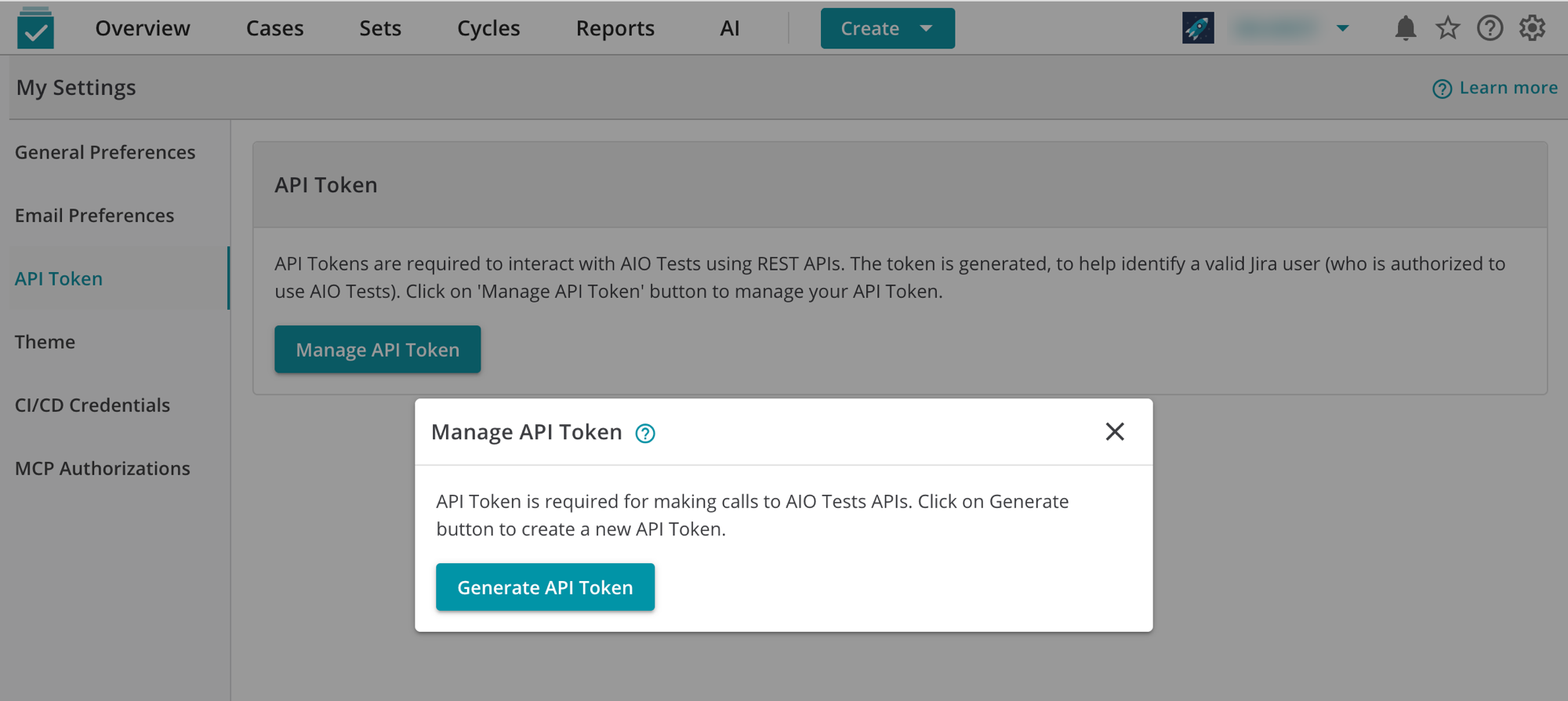
- In AIO Tests, select the gear icon, choose My Settings, then API Token.
- Click Manage API Token, then Generate API Token in the dialog, and copy the token it creates.
- In MintMCP, go to MCP store and open the Recommended servers tab.
- Select AIO Tests, enter the Server URL, and choose API token as the authentication method.
- Click Install.
Each user pastes their own token when they first connect.
Tool capabilities reference
Every call runs as the connected user and respects their existing Jira and AIO Tests permissions, so an agent only reaches the projects that person can already open.
| Area | What you can do |
|---|---|
| Projects | Read a project's key and ID, and check whether AIO Tests is enabled for it |
| Test case schema | Read available fields, required and custom fields, statuses, priorities, and their allowed values |
| Test cases | Search by keyword, status, priority, tag, or folder, read full details with steps, requirements, and custom fields, create and update cases in Classic or BDD format, and review version history |
| Folders | Browse the folder tree with full paths, create folders, and rename, move, or re-describe them |
| Tags | Read the tags configured in a project |
Security considerations
- Both authentication methods are per-user, so AIO Tests applies each person's permissions and MintMCP attributes every tool call to the user who made it.
- Creating and updating test cases and folders writes to your Jira test data, so hide those tools if you want a read-only connector.
- Updating a test case modifies it in place instead of creating a new version, which means an agent's edit replaces the current content.
- API tokens don't expire on their own, so rotate one by generating a new token under My Settings > API Token > Manage API Token, which replaces the previous value.
- A Jira project with AIO Tests turned off returns no test data at all, so enablement is the first thing to check when a tool comes back empty.
Next steps
- Tool customization — Control which AIO Tests tools are exposed to users
- MCP gateway administration — Manage access and permissions